
Product Design • Web & Mobile • Non-Profit Client Work
Patriots and Paws
Spearheaded a design team to deliver a web application to simplify Veteran Service Request data management, automate approvals, and improve staff-veteran communication
OVERview
Context
Who is PAP?
Patriots and Paws (PAP) is a California-based nonprofit providing veterans and their families with basic home furnishings and support. Veterans submit service requests via PDF forms, requiring staff to manually enter data into spreadsheets—a time-consuming and error-prone process.
12K+
veteran families' lives transformed
100K+
volunteer hours
Problem
Inefficient manual data management hampers veteran support
The core problem at Patriots and Paws lies in the inefficiency of manual data management processes. Veterans currently submit item requests via PDF forms, requiring manual transfer by staff to Google Sheets for Grant Applications. This manual process delays assistance and complicates record-keeping, hindering efficiency.
SOLUTION
Digitizing operations with a staff portal and digital request form
The final solution involves creating a user-friendly web application for Patriots and Paws. By digitizing these processes, the organization aims to improve efficiency and better serve the needs of veterans and their families.
Veteran Portal:
Simple digital request form
Minimal steps for submission
Staff Portal:
Efficient approval workflows
Predefined filters for counties, zip codes
Data export for reporting and grant applications
Admin Portal:
Secure account & inventory management
Role-based access to sensitive data
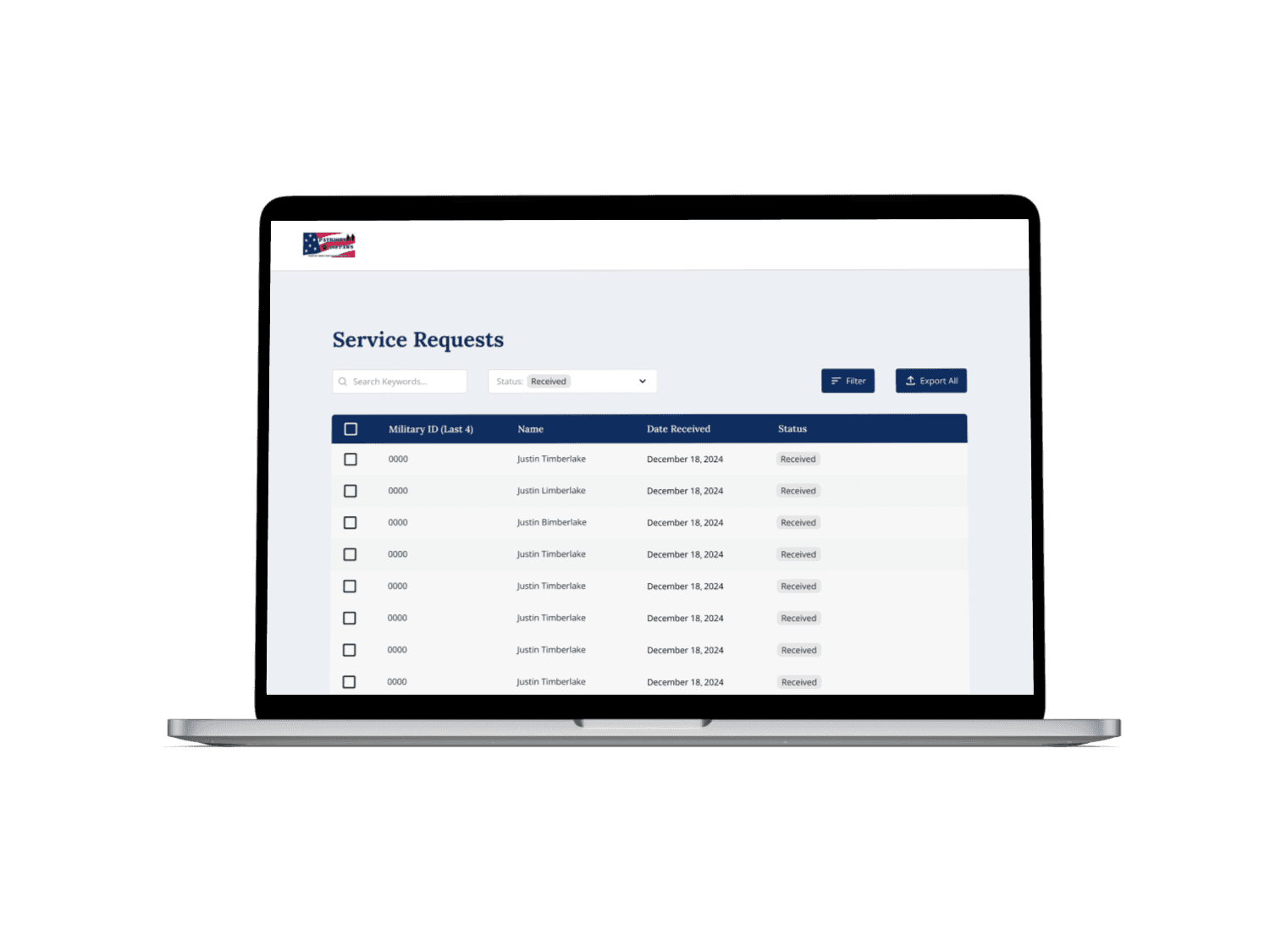
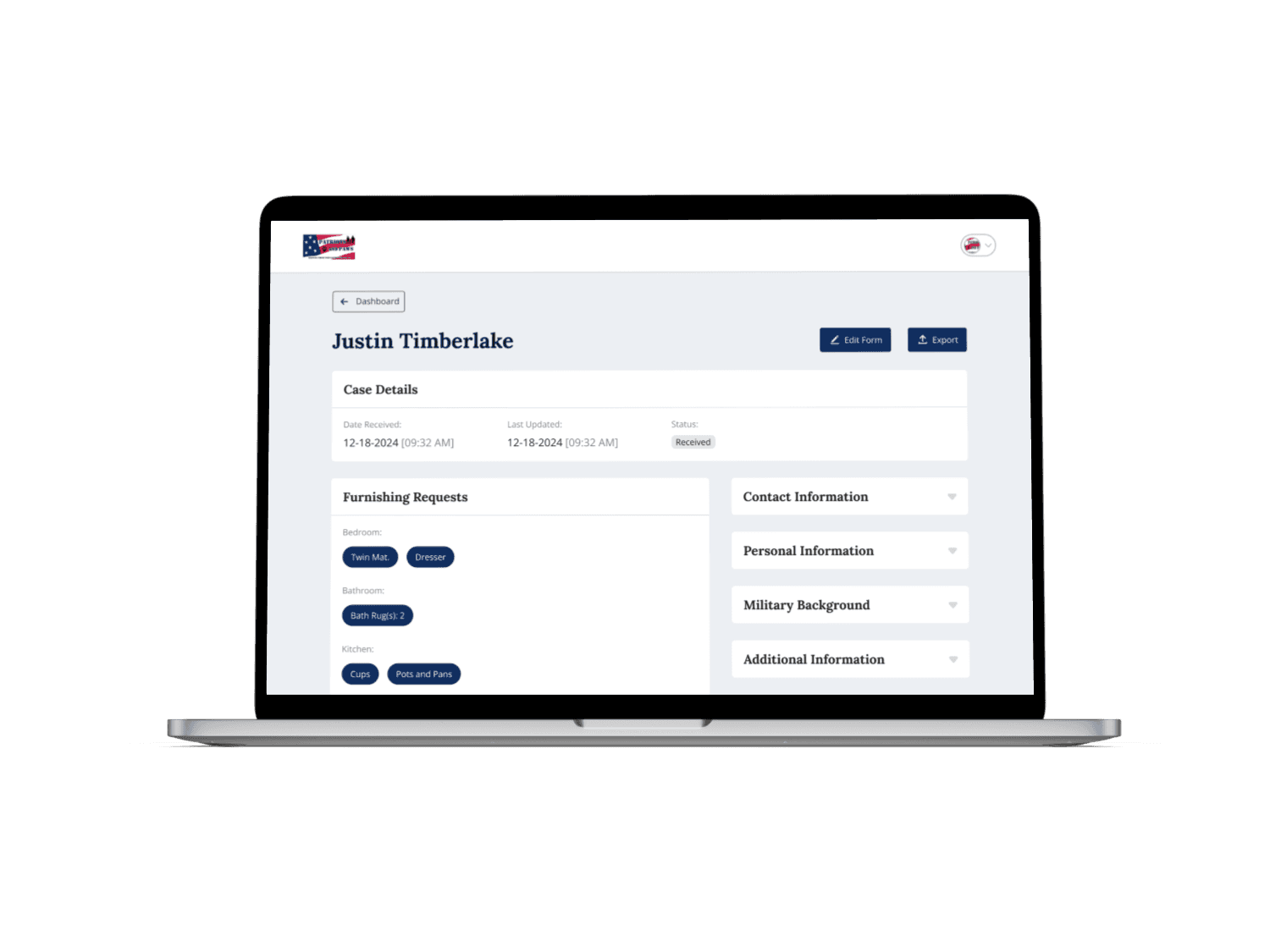
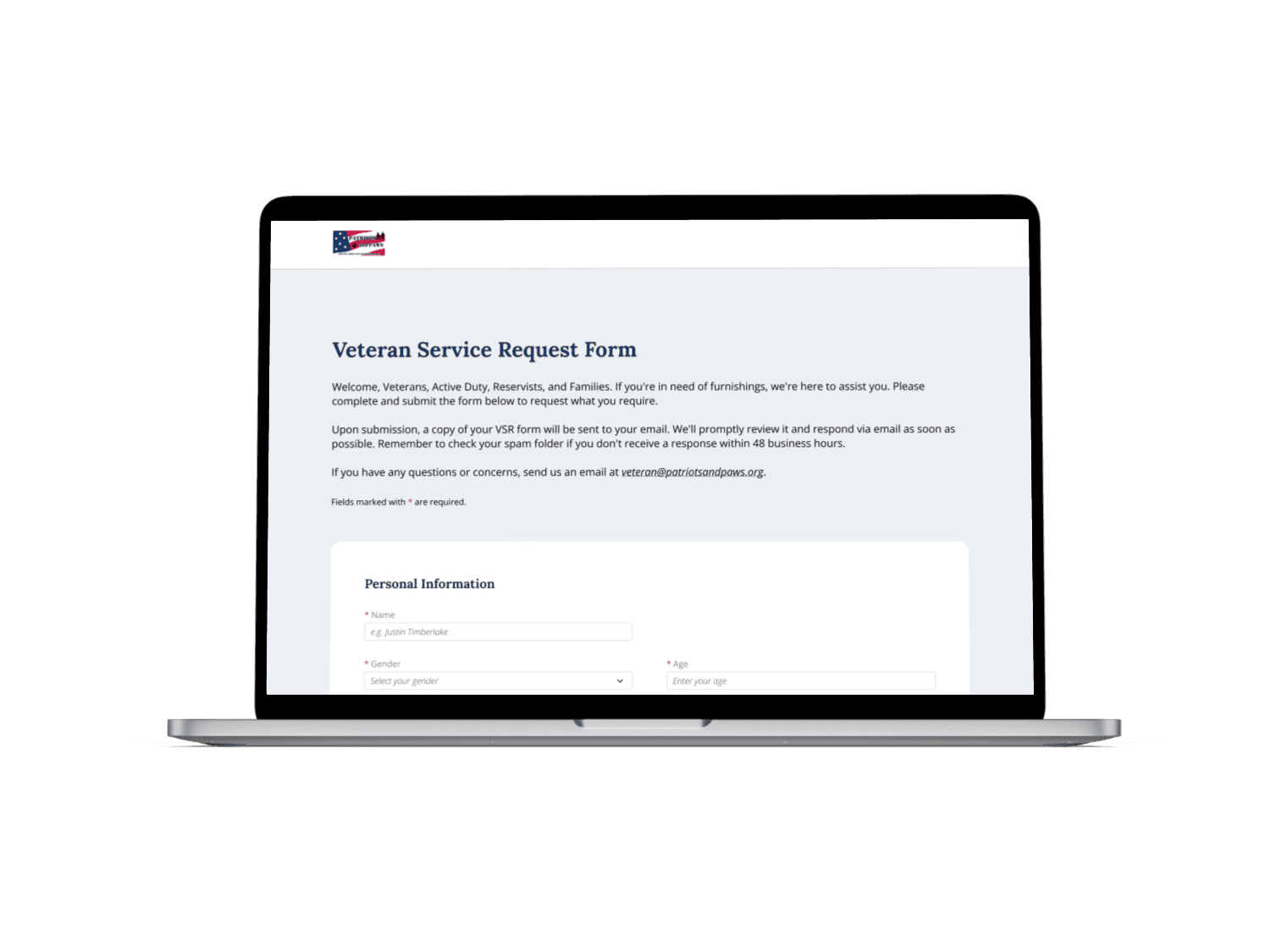
Glimpse of Final Solution


Impact
Impact & Results
80% Faster Processing
Streamlined digital workflows cut the time from request submission to approval from hours to minutes, replacing slow manual paper processes.
95% Data Accuracy
Digitized forms and structured fields reduced errors and omissions, ensuring nearly all veteran requests are captured accurately.

20% More Veterans Served
By monitoring the number of veterans served and the variety of items provided
30% Improved Grant Readiness
Organized and complete records accelerated reporting and increased grant application success rates.
100% Staff Adoption
Intuitive design and quick training enabled every team member to adopt the platform without error.
PROCESS
So, how did I get there?
Research
Understanding the Problem
We interviewed our client, Penny, the administrator of PAP. Additionally, we surveyed veterans and staff members of PAP.
Stakeholders

Veterans
who submit VSRs for free furnishings
Staff Members
who work at PAP and manage the data

Admin
who oversees all the process
Client Interview
To understand what our client needs and the problems they face, and to begin drafting our minimum viable product feature list, we interviewed our client, who is also the administrator of PAP.
Pain Points
Manual collection and input of VSRs is time-consuming and error-prone.
Adjustments to veterans' needs lists are handwritten and then transferred to digital records, complicating accuracy.
Sorting through large spreadsheets for VSRs and statistics is challenging.
VSR statuses determined from email correspondences can lead to confusion and missed requests.
Stakeholder wanted...
... digitalization of the Veteran Service Request submissions
... a staff & admin portal to manage the database of VSR forms
Quantitative Research
We created 2 surveys: one survey for staff members (2 responses) and another for veterans, their families, social workers, etc. (24 responses)
13 out of 24
found the process of submitting the Veteran Services Request Form via email and scheduling an appointment
EASY
No, they are phenomenal! - Veteran A
Good communication when it comes to appointments. - Veteran B
Always have found what I need, very happy with their service. - Veteran C
Given that our veteran stakeholders already perceive the process as relatively straightforward, we tried to keep the veteran flow as simple as possible and focused more on the staff flow who is our main stakeholder.
Problem Statement
How might we improve the efficiency of the Patriots and Paws system to streamline the submission of forms for veterans and facilitate easier data management for staff, thereby expediting assistance for veterans?
Solution ideation
Mindmapping
So what are our possible solutions?
We collaborated with our clients to brainstorm potential solutions for addressing our problem area, utilizing mind mapping to explore two potential options: a mobile app and a web-based application.
Mobile App
On the go access after download
Push notifications
Offline functionality
Only on mobile devices
Limited compatibility with certain mobile devices
Development is time-consuming
vs
Web App
Easy maintenance and data management
No installation required
Wide accessibility
No data storage limitations
Centralized updates
Cross-platform compatibility (e.g. Windows)
Require internet connection
After careful consideration of the benefits and drawbacks, prioritizing the needs of our stakeholders, we chose the web application due to broader accessibility across various devices and easier maintenance compared to a mobile app.
Creating user flows to visualize the features
With the client's requested features and our research insights in mind, we created user flows to visualize the experience for both stakeholders.
Veteran Flow
A simplified flow for veterans to easily submit their veteran service request forms.
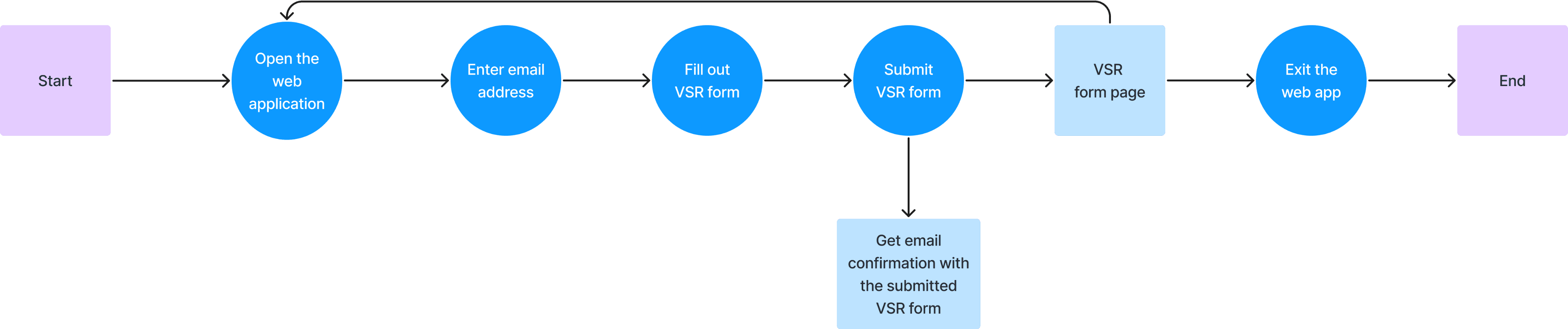
Veteran Flow
Staff Flow
A customized flow for staff members, enabling efficient request approvals and data compilation for grant applications.
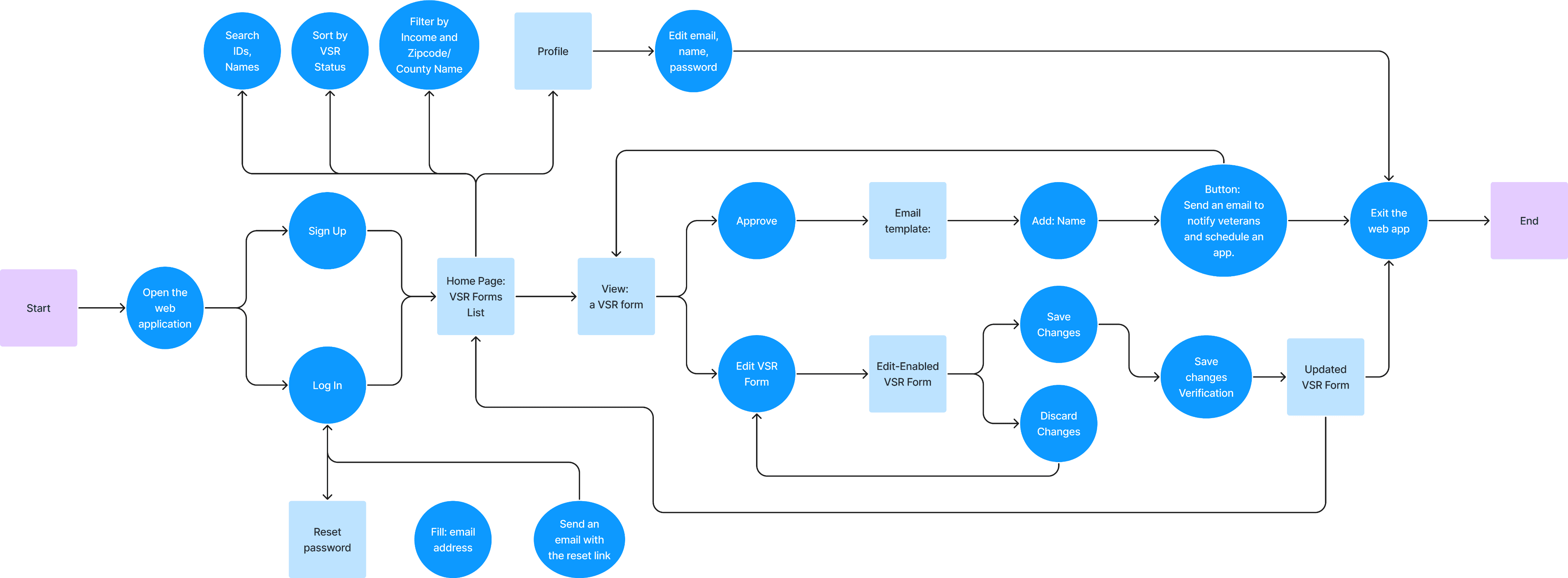
Staff Flow
Admin-Exclusive Profile Page Flow
A customized flow for staff members, enabling efficient request approvals and data compilation for grant applications.
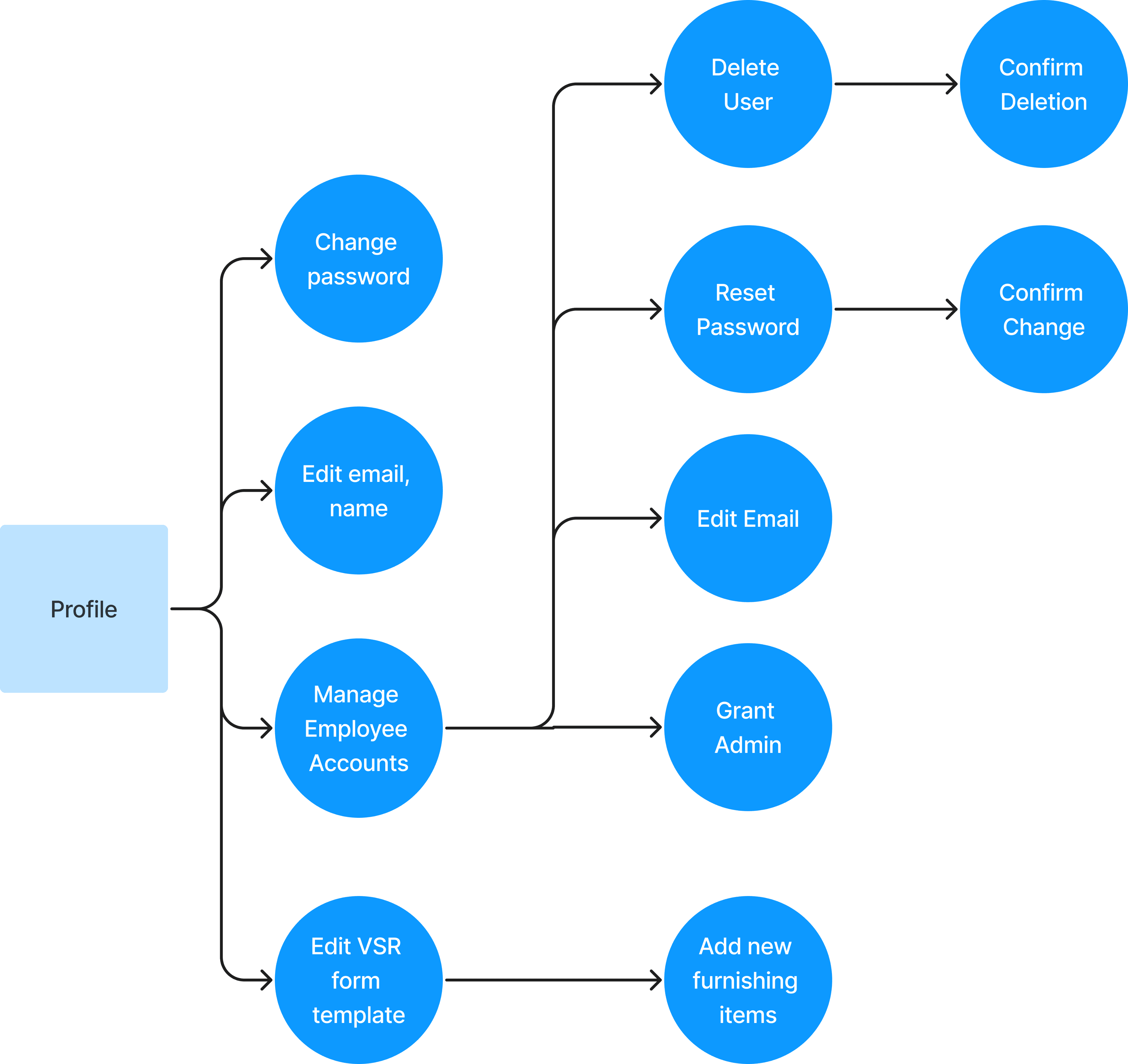
Admin-Exclusive Features on Profile Page
Design Iterations + Usability Testing
Key Design Decisions
After iterating on our user flows, we proceeded to design, making critical design decisions informed by usability tests involving developers, users, and our client.
Veteran Flow
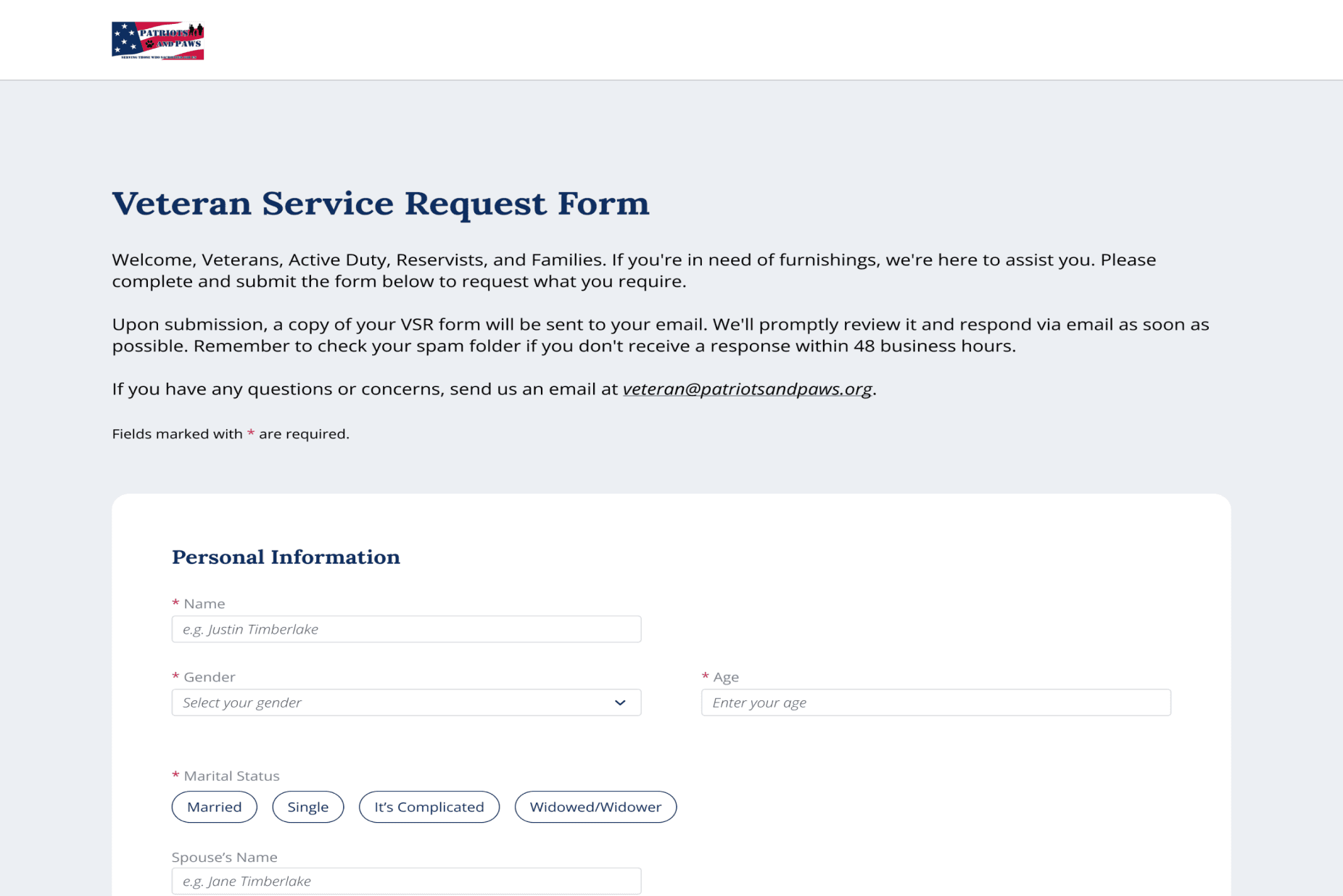
Evolution of VSR Form Tags
I iteratively refined the VSR form tags from their original PDF to create a more intuitive and user-friendly tagging system for veterans.

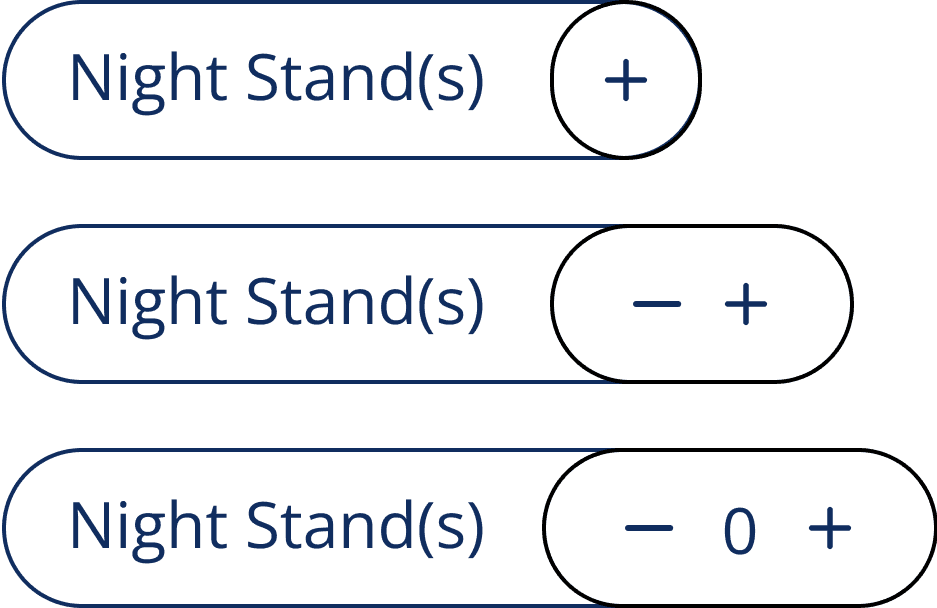

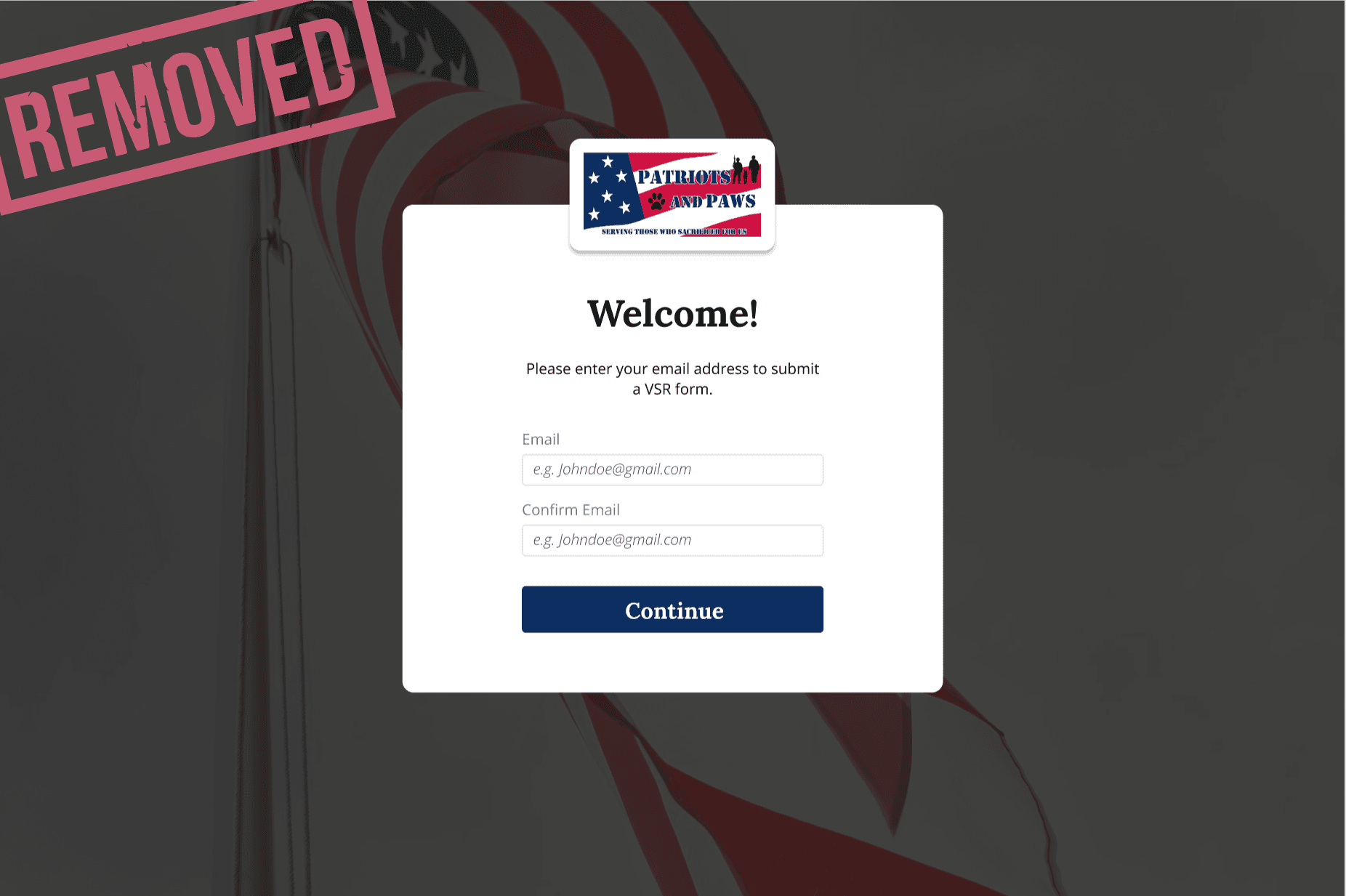
Removed landing page
Based on usability testing feedback, we aimed to simplify the veteran flow, leading to the removal of the redundant landing page.
Staff Flow
Constrained filtering options
We iterated on the input process of filtering VSR forms to mitigate increased risk of user error and time for data validation by constraining users to predefined county names and zip code options.
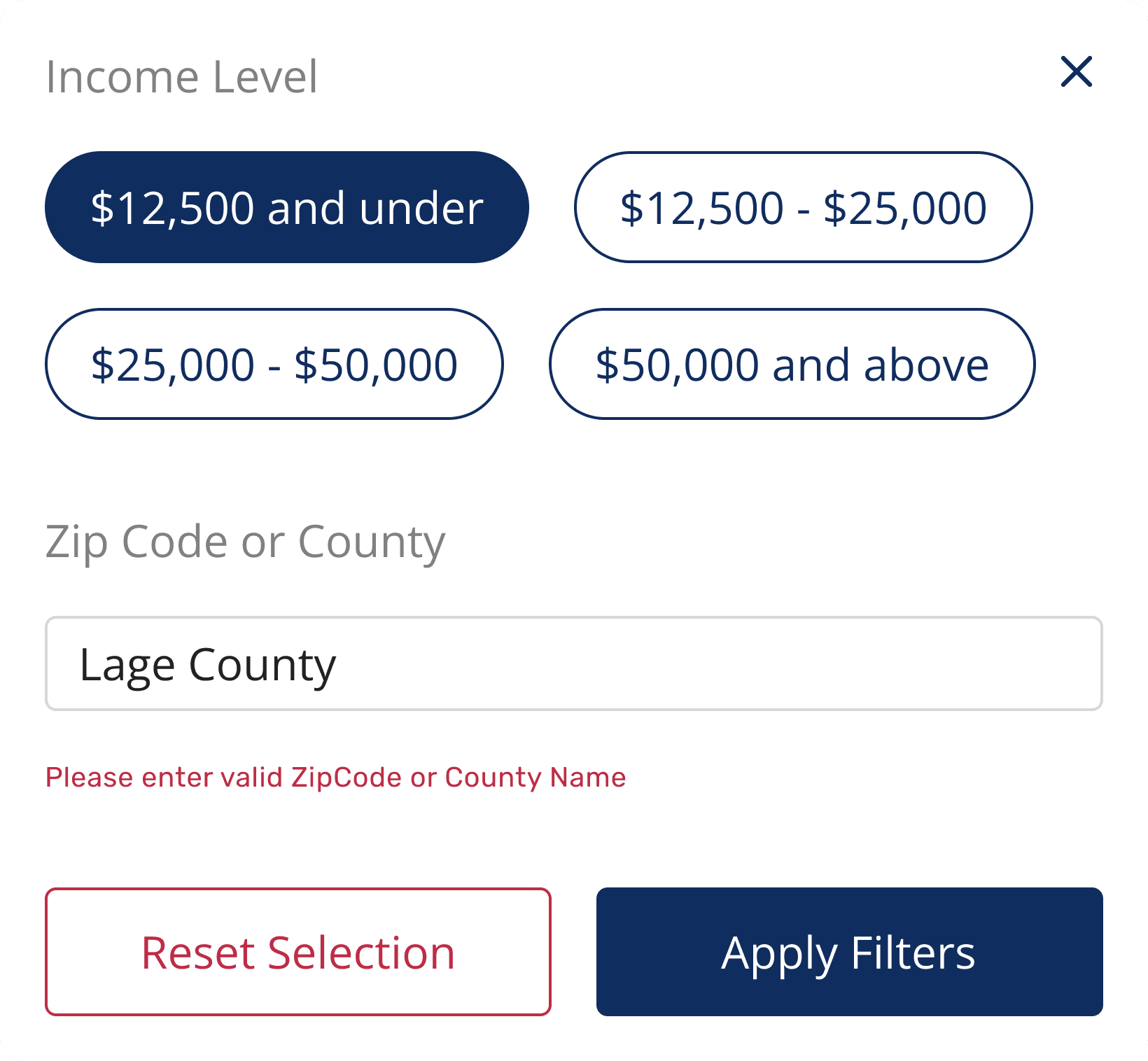
Landing Page
Increased risk of user error due to manual entry
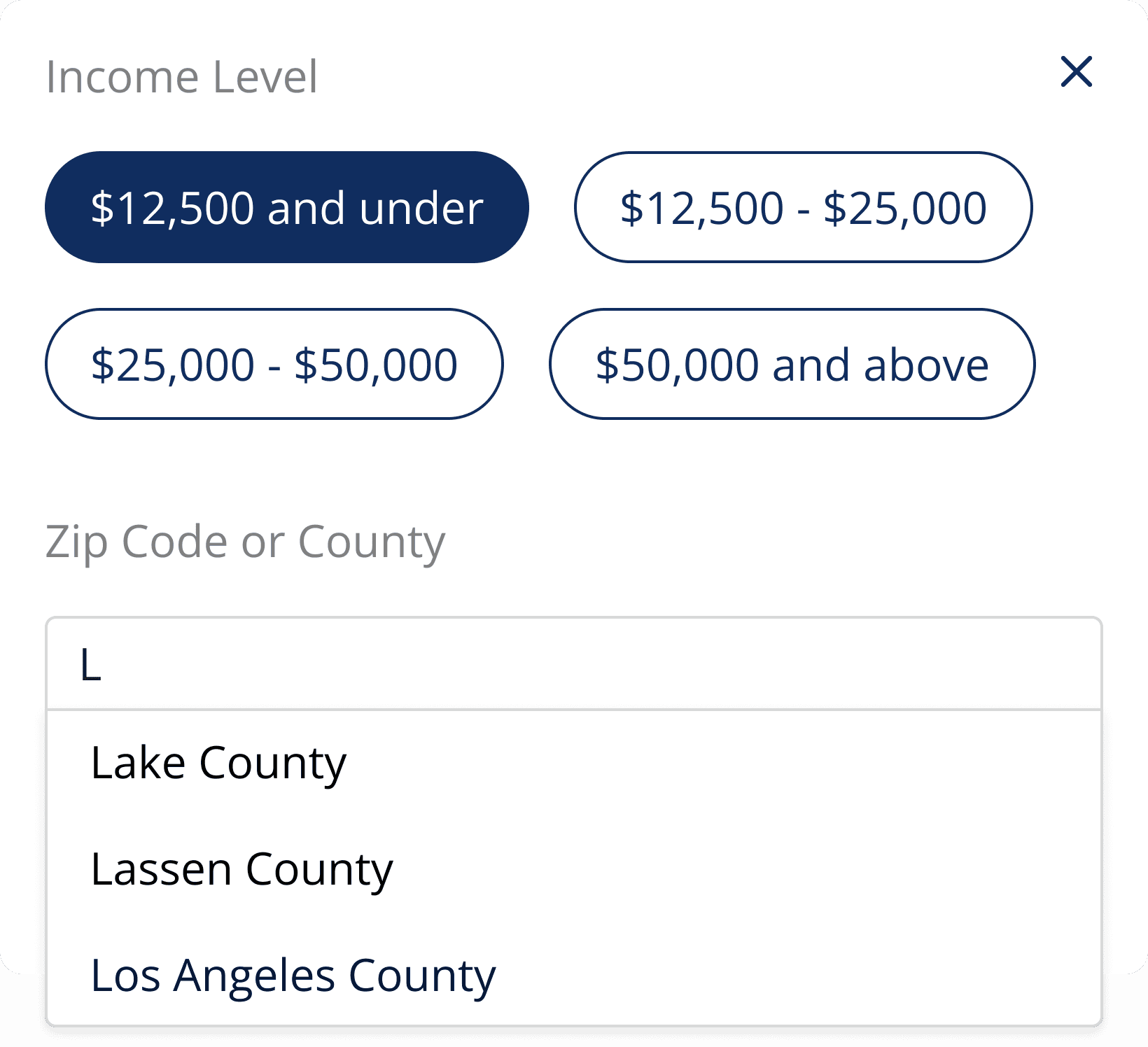
First page of the VSR Form
Predefined options reduce user error
Faster data entry
Admin Interface
Constrained filtering options
Efficient staff management ensures only authorized personnel access sensitive data, reducing unauthorized access and security risks. Admins can promptly manage staff accounts from the admin profile page, enhancing system security and minimizing data compromise.
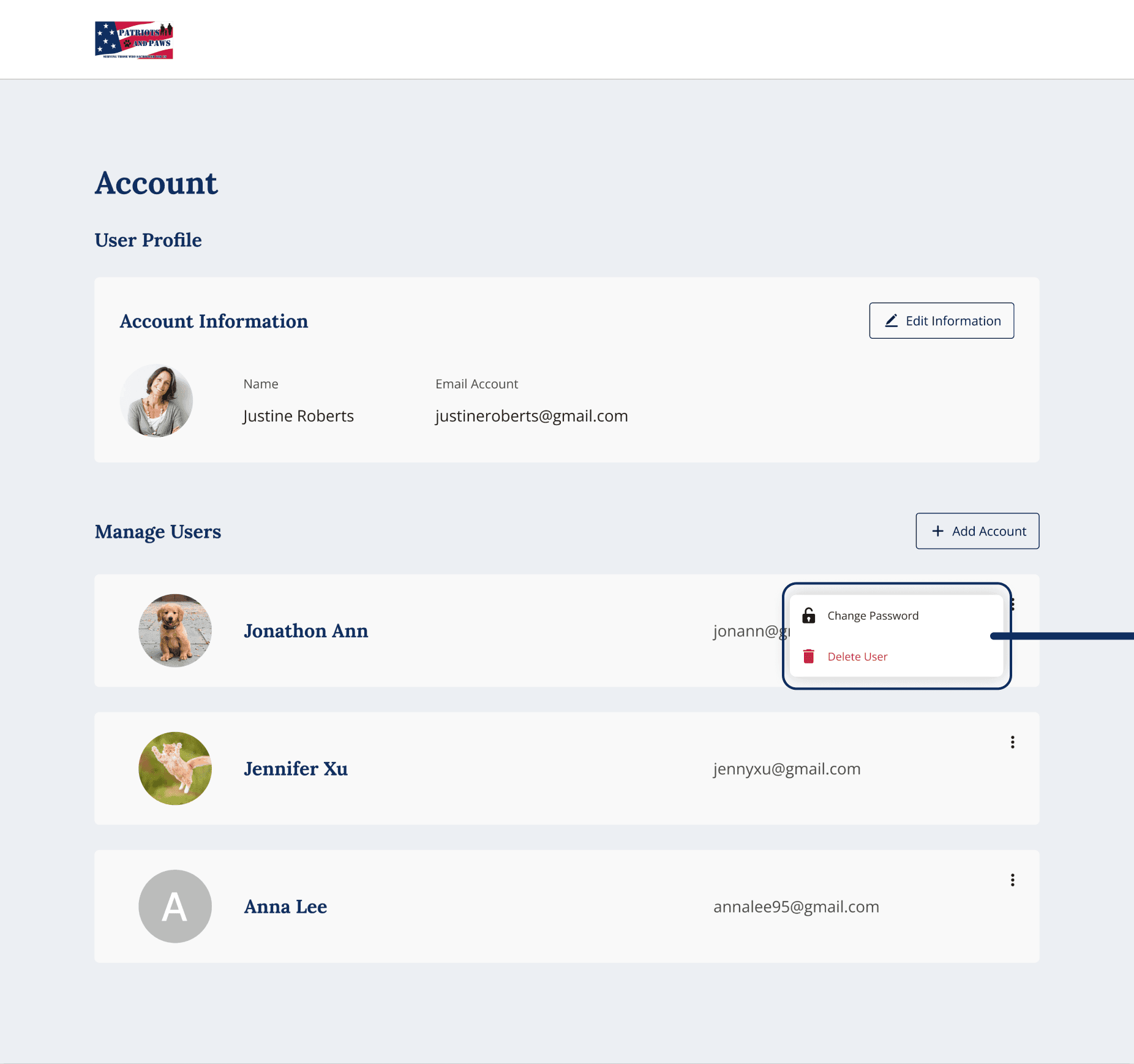
Admin Profile Page
Enhanced data security
Reducing unauthorized access
Responsive web design
Desktop, Tablet & Mobile
Our primary stakeholders, the staff members, expressed the need for tablet compatibility to facilitate on-the-spot VSR form submissions by veterans. So, I ensured that the web application was responsive across tablet and mobile screens to enable seamless access and form filling without prior appointments.

VSR form submission page on Tablet Screen
(W = 834 px)

VSR form submission page on Mobile Screen
(W = 390 px)
Final deliverables
Data Visualization Page + Blurred
Submit VSR form digitally
Eliminates manual form filling and scanning
Reduces paperwork and processing time
Enables on-the-spot submission without appointments

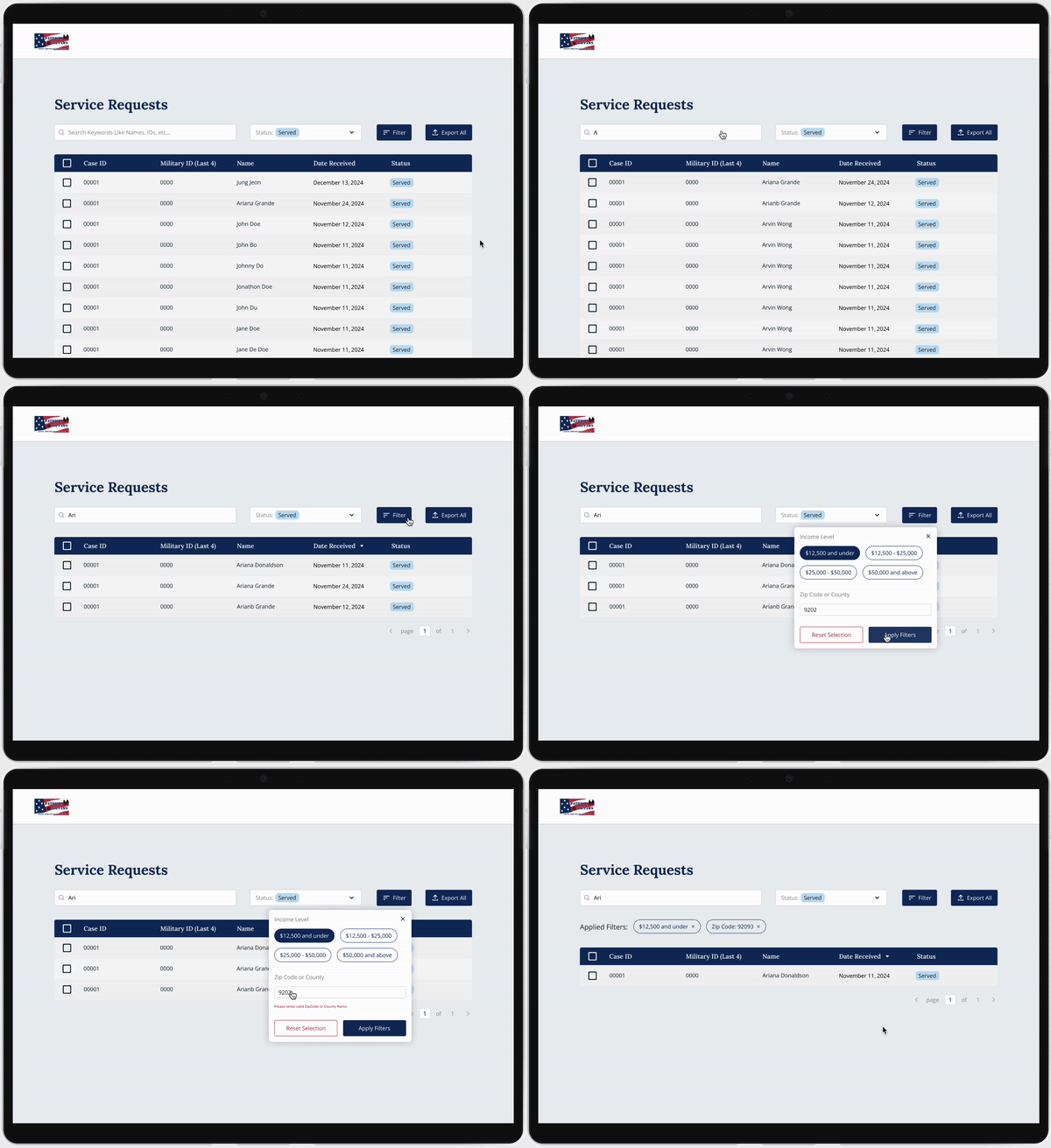
Filter, search, sort and export VSRs
Enhances data analysis and reporting
Improves workflow efficiency and decision-making
Enhanced Filtering Boosts Grant Opportunities
Seamless VSR approval and editing
Simplifies VSR approval and editing for staff
Enhances communication and collaboration
Increases efficiency in form processing


VSR template customization
Manage the website
Edit and add Tableau data visualizations
Staff Account Management
Secure access control and user management
Strict access controls for staff permissions

Reflection
Now that the platform is fully launched and integrated into the Patriots & Paws website, I focused on what I learned and how the product can continue to evolve.
What Leading the Design Team Taught Me
Leading the design team taught me how to align cross-functional decisions quickly and communicate clearly with PM, engineering, and stakeholders. I also experienced the satisfaction of seeing real users benefit from our work.
Opportunities for Improvement
Add lightweight onboarding and optimize for low-connectivity environments to support veterans and volunteers with limited tech access.
Next Steps & Growth
Integrate analytics and expand permission roles to support future growth and automate recurring grant reports.
I feel grateful to have had amazing team members throughout the entire design project. ♡
Thanks for stopping by!