

Product Design • User Research • Mobile App
BeSpurr. on Snap Map
Designing BeSpurr, a dynamic Snapchat Map extension facilitating efficient discovery and participation in spontaneous events to overcome barriers to in-person connections.
Role
UI/UX Designer
Duration
Jan 2024 - Mar 2024
Team
5 Designers
Tools
Figma
Figjam
Skills
Product Thinking
UX Research
Interaction Design
Visual Design
PROBLEM
Desire for connection,
hindered by obstacles
In a world increasingly reliant on digital interactions, the longing for genuine face-to-face connections remains strong. Social anxiety, hectic schedules, and the limitations of current event discovery platforms create barriers, preventing meaningful interactions from taking place.
Current Problems
Social anxiety inhibiting social interaction.
Overbooked schedules limiting availability.
Ineffective event discovery platforms hampering connection.
SOLUTION
Sneak peek into my final solution
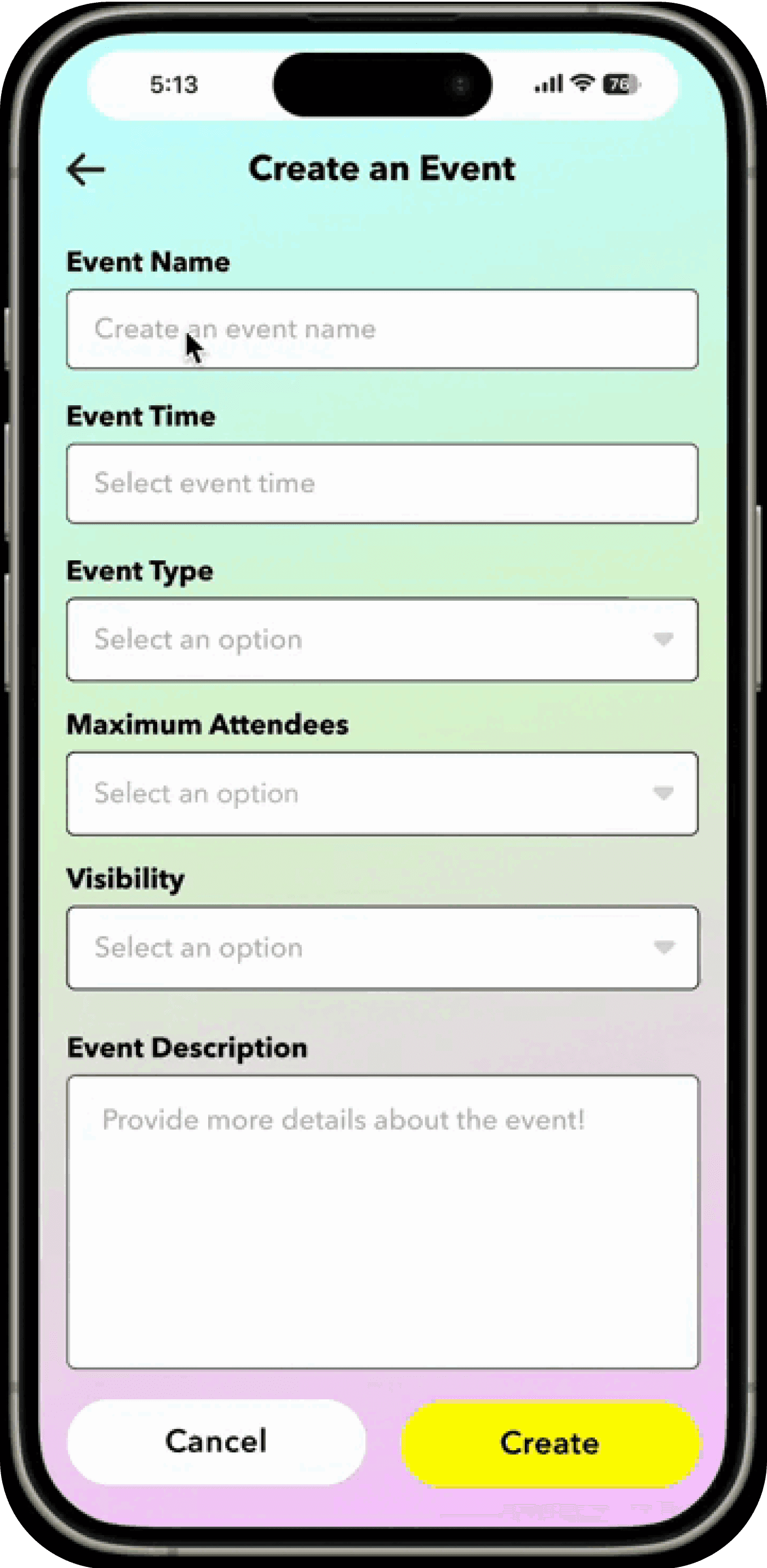
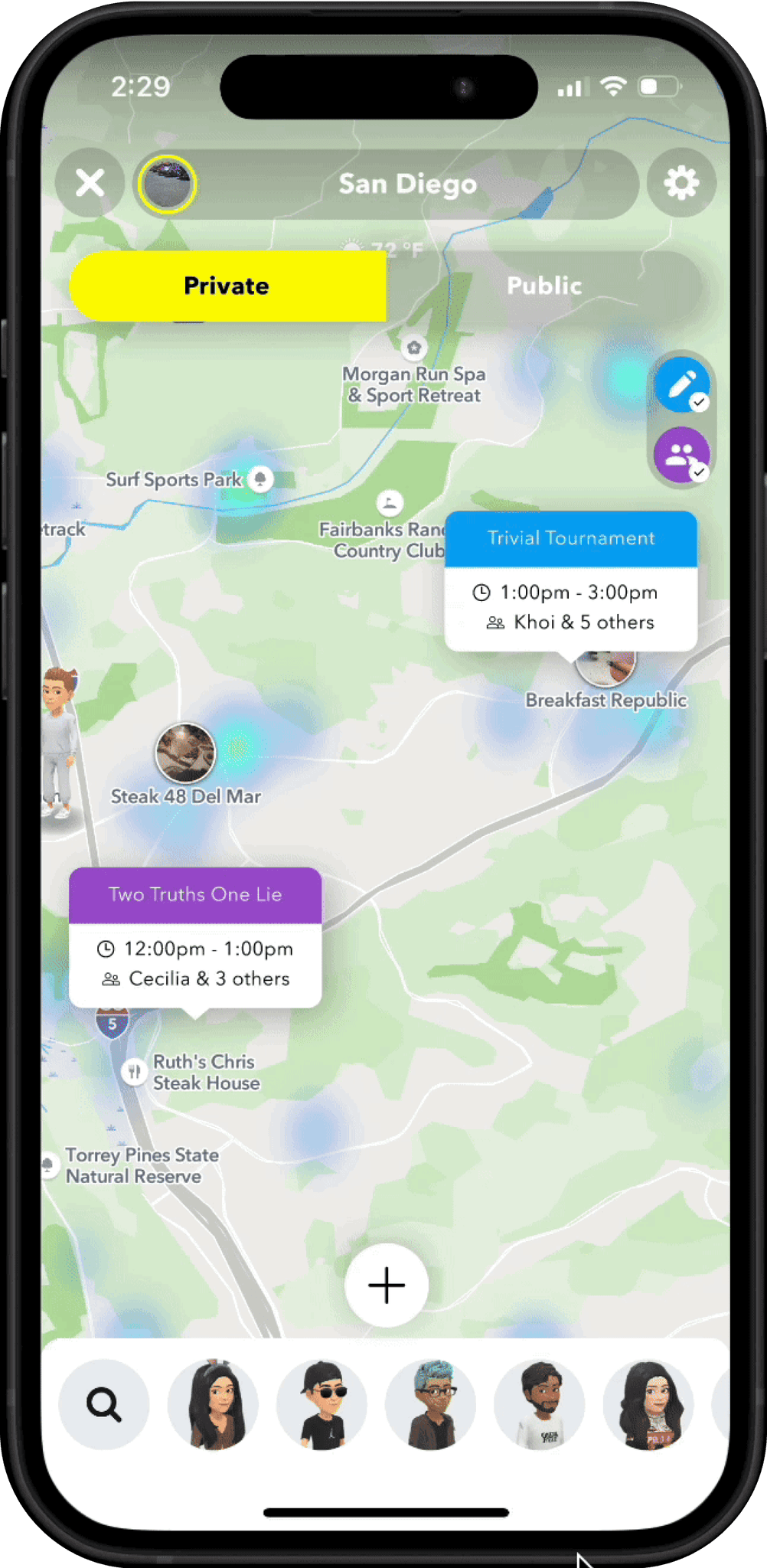
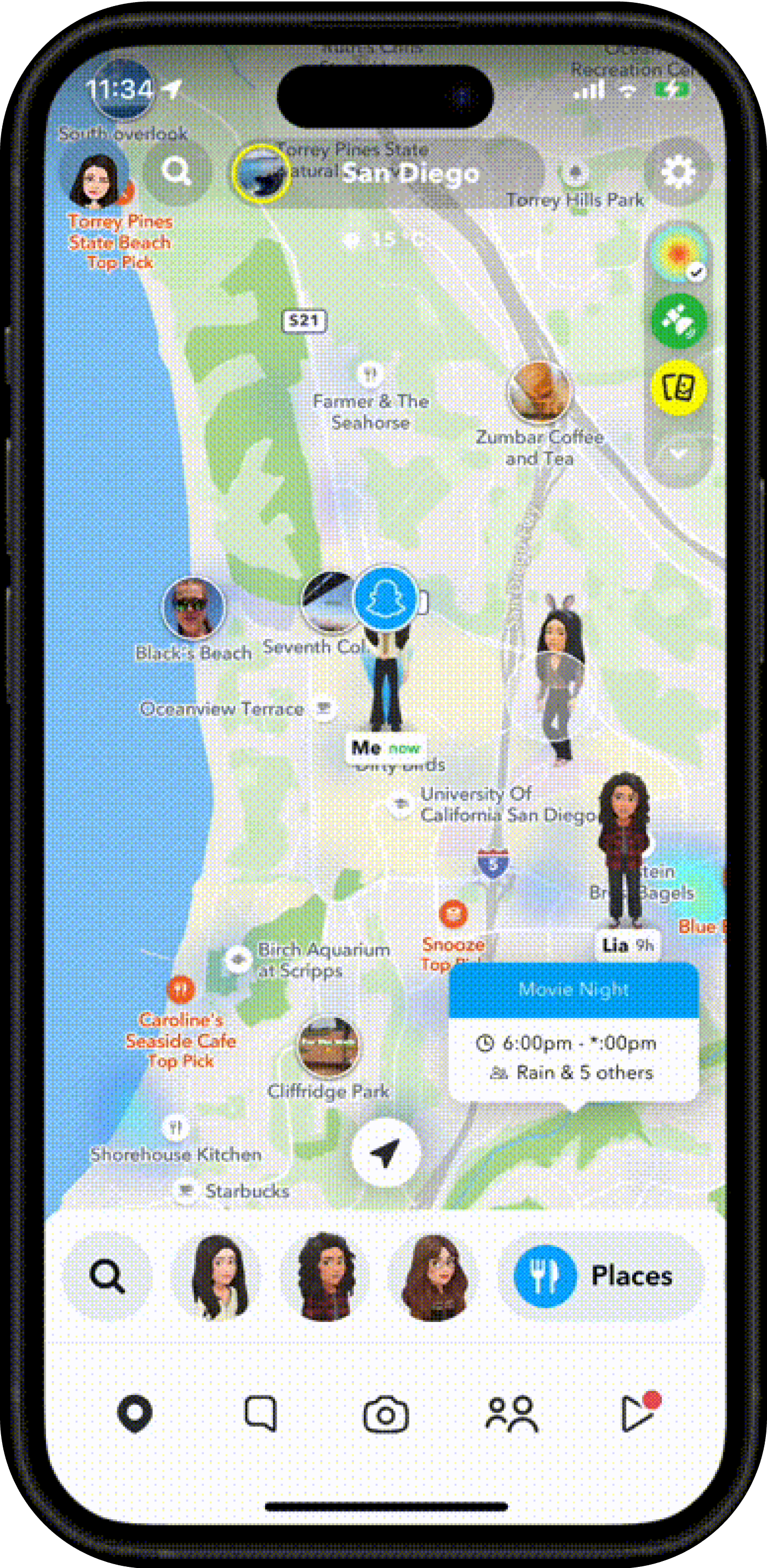
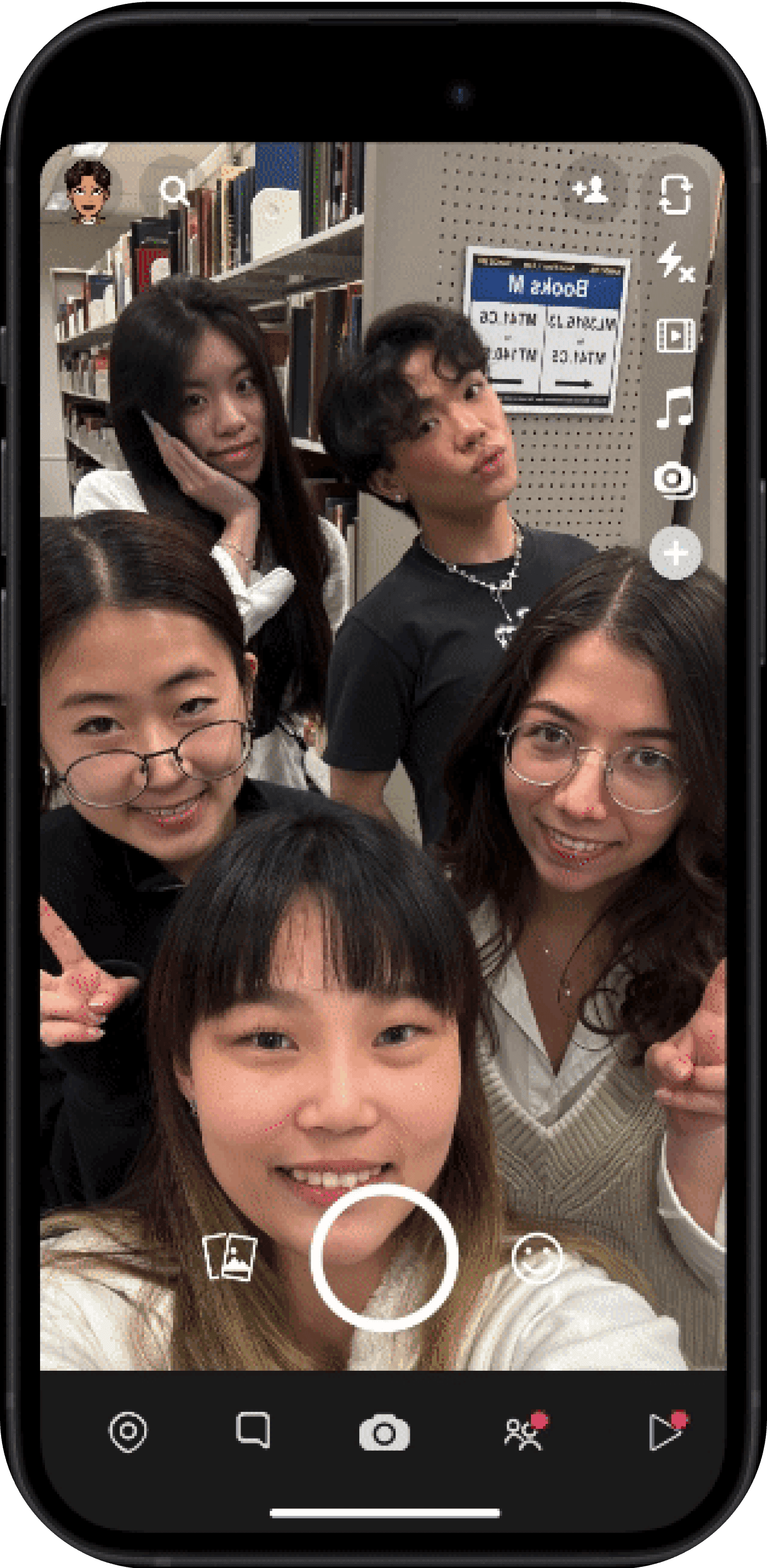
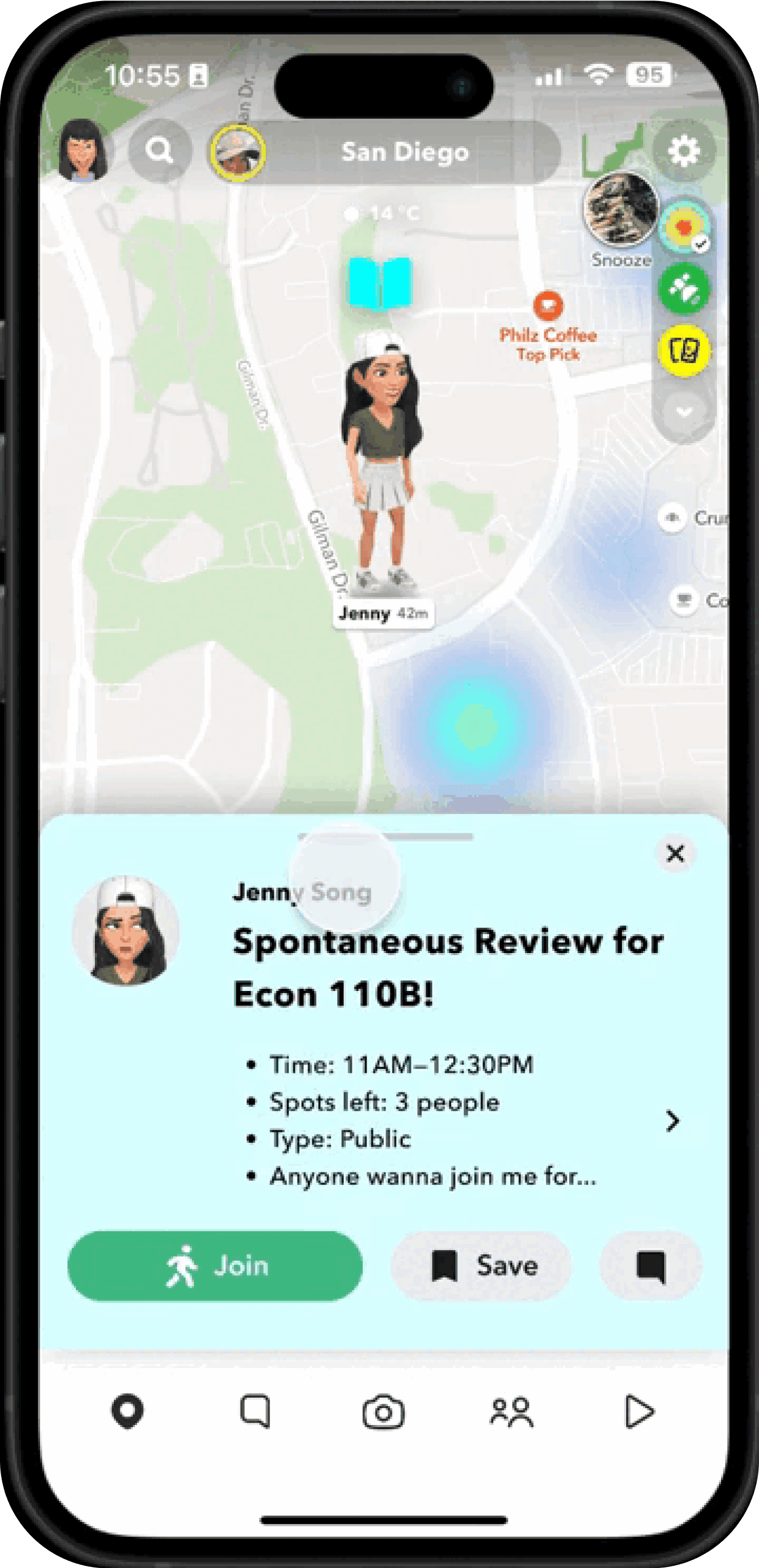
Hover to learn more!
PROCESS
So, how did I get there?
Research
My Research Goals
To understand how people currently socialize and the challenges they face
To analyze the strengths and weaknesses of competitive socializing platforms
To assess people's preferences and views on spontaneous socializing
Secondary Research
Online Research
I initially explored the social landscape by examining online forums and social media content.

Spontaneity goes beyond introversion or extroversion

Sharing hopes for new and exciting interactions

Recounting delightful experiences from spontaneous meetups
I discovered that across all three platforms, there's a shared appreciation and recognition of spontaneity within diverse social contexts.
Literature Review
Users are encouraged to explore new social connections by positive spontaneous thoughts.
Mobile technology, such as real-time location sharing, enables and enhances spontaneous interactions.
Map-based features actively support the expansion of personal networks.
Several studies highlight the effectiveness of map-based interfaces in promoting spontaneous social interactions
Competitive Space
I conducted competitive analysis across various platforms specializing in different areas.

Google Calendar

Snap Map

Snap Chat

Umity

Meetup

BeSpurr.

Find My
S
p
o
n
t
a
n
e
o
u
s
+
S
o
c
i
a
l
L
o
c
a
t
i
o
n
-
B
a
s
e
d
E
g
v
e
n
t
P
l
a
n
n
i
n
BeSpurr provides a distinct solution for event planning and fostering spontaneous social connections. Leveraging Snapchat's popularity, I adopted piggyback prototyping as our strategy.
Stakeholder Interviews
I conducted interviews with 5 UCSD students for about 30 minutes each, which included 5 demographic and 13 open-ended questions about their obstacles and opinions on spontaneous socializing.
Key Insights

“A scheduled event would always be on my mind...takes a lot more commitment and effort”

“If the time doesn't work, then you can't really do anything about it.”
Current Problems
Managing busy schedules
Dealing with social anxiety
Difficulty in finding events through inefficient platforms
4 out of 5
expressed a high likelihood of attending spontaneous events or study sessions
Problem Statement
How might we streamline access to hyper-local events for spontaneous social interactions?
Solution ideation
Turning insights into concepts
Current Problems
Managing busy schedules
Dealing with social anxiety
Difficulty in finding events through inefficient platforms
Potential Solutions
Having the flexibility to create or join events according to one's schedule
Minimizing pre-event preparation and overthinking
Viewing all events in one place on a single platform
Creating user flows to visualize the features
Stakeholders
I divided our stakeholders into two groups based on their roles within the platform: hosts, who create events, and attendees, who join events. This division allows us to better simulate the prototyping sessions and tailor the experience to each user's needs.

Host
those who create spontaneous event

Attendee
those who join spontaneous event
Host Experience
It highlights the varied access levels to the data visualizations for different membership statuses, addressing our client's concern regarding low subscriber numbers. Users who browse the website without signing up can only access limited datasets, whereas those who sign up, either for free or a membership, gain access to more datasets based on their membership tier.
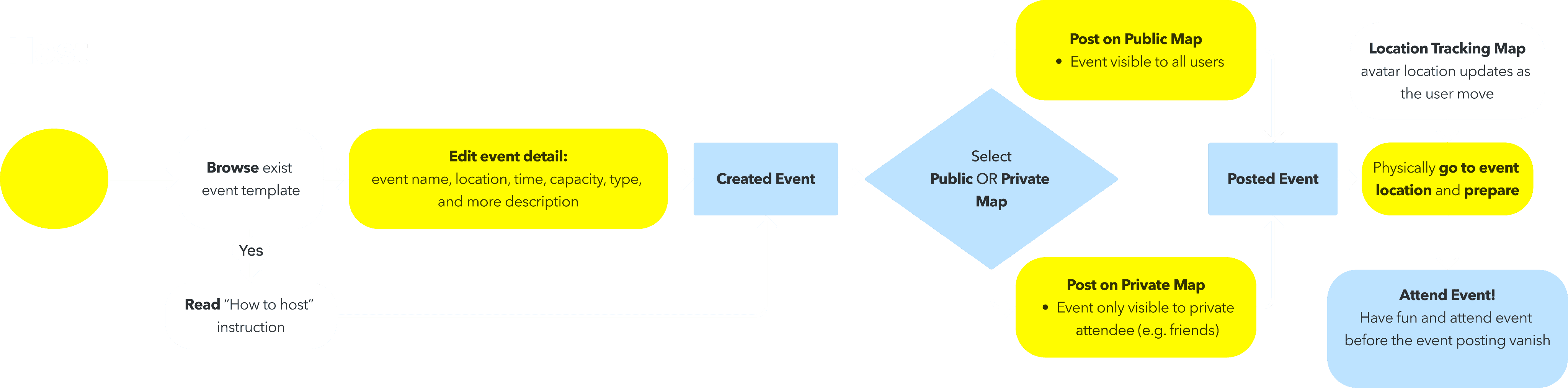
Flow 1: Host Flow
Attendee Experience
To ensure our client can edit and add datasets after the handoff, I developed a separate admin flow with its own user interface.
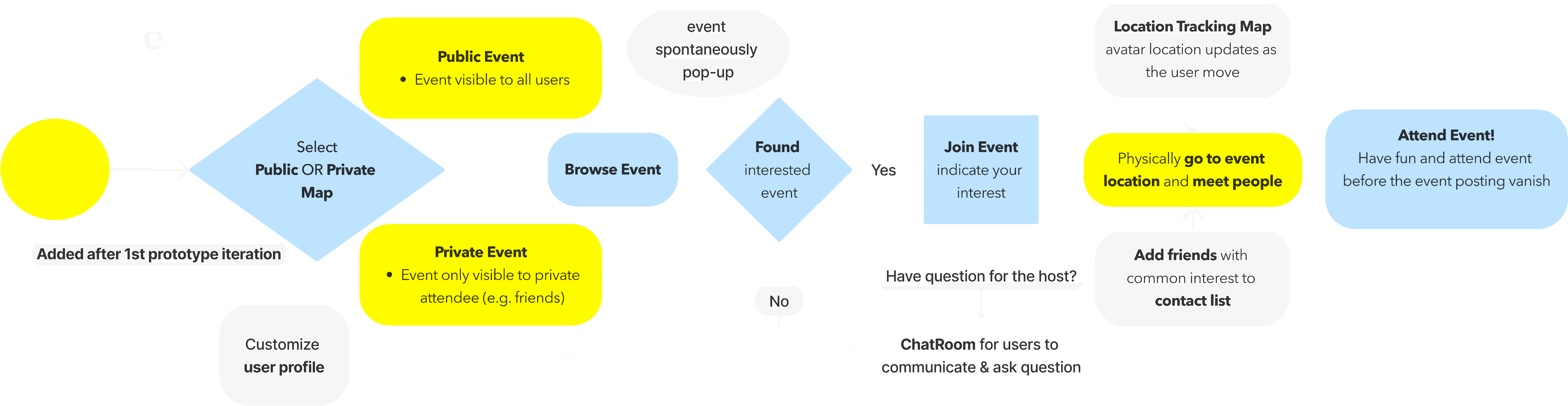
Flow 2: Attendee Flow
Prototyping
Wizard of Oz Prototyping
I employed the “Wizard of Oz” method, which involves presenting users with a prototype that simulates the expected social experience of BeSpurr. This approach is not only cost-effective and flexible, yet also enables us to evaluate the user experience and system interactions in a realistic context without the need for a fully developed system.
Design Goal
While FigJam does not offer real-time location tracking functionality, our goal is to create a visually engaging and interactive simulation of hosting/attending spontaneous events on BeSpurr.
Prototyping Tech
FigJam
Leveraged FigJam’s drawing tools and multi-user collaborative interface, to replicate the interactive experience from creating event to location tracking

BitMoji
Used BitMoji icons for the user's profile and to show their location, replicating the SnapMap aesthetic

SnapMap
To recreate the look of a map, we utilize SnapMap's current design specifically tailored for the on-campus environment
Design Iterations + Usability Testing
1st User Testing
During our initial prototyping and user testing session, I aim to simulate how users interact with spontaneously appearing events on a map, encompassing both event creation and joining. Two separate FigJam Files developed: Public Map and Private Map.
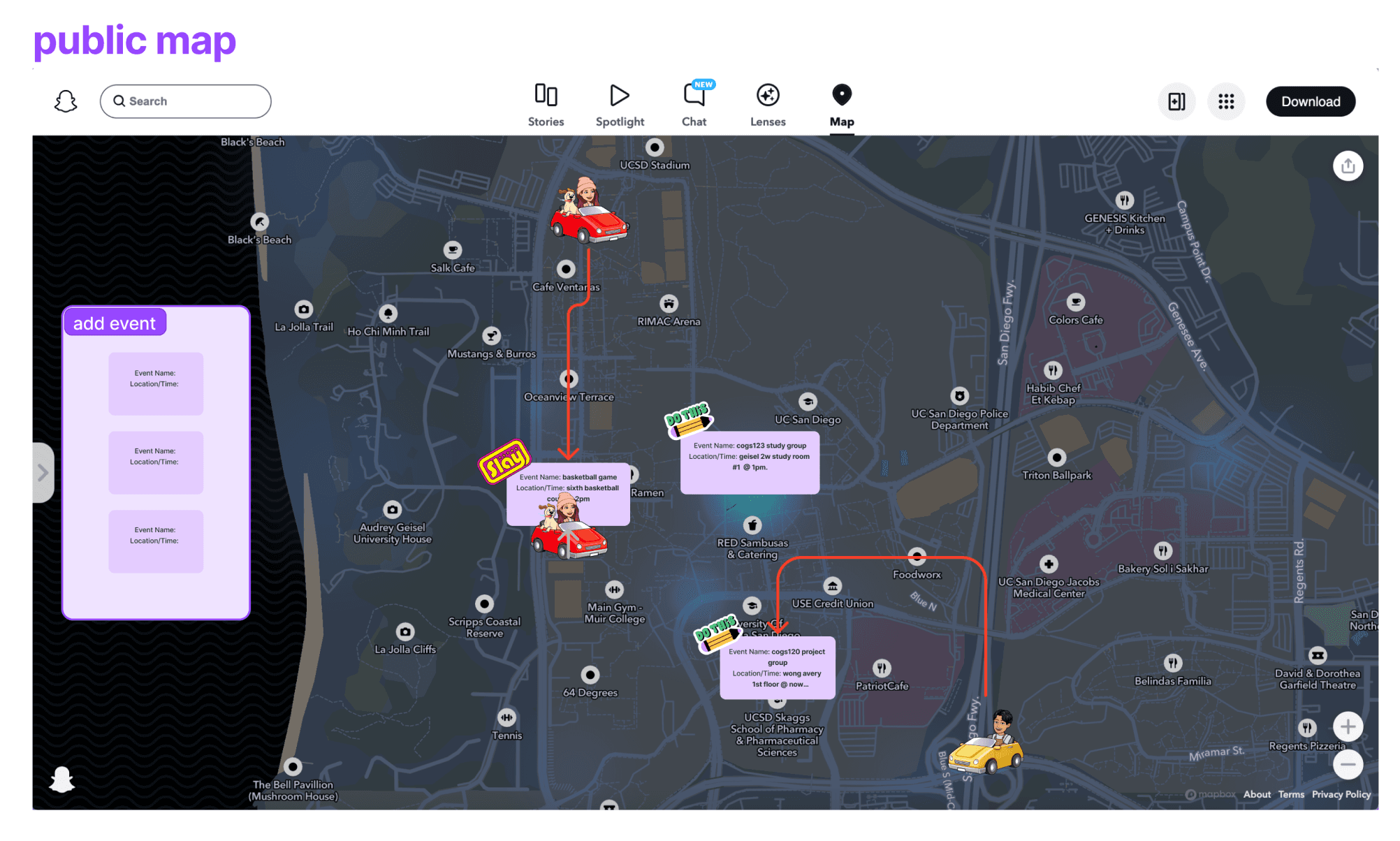
Public Map for events visible to all users
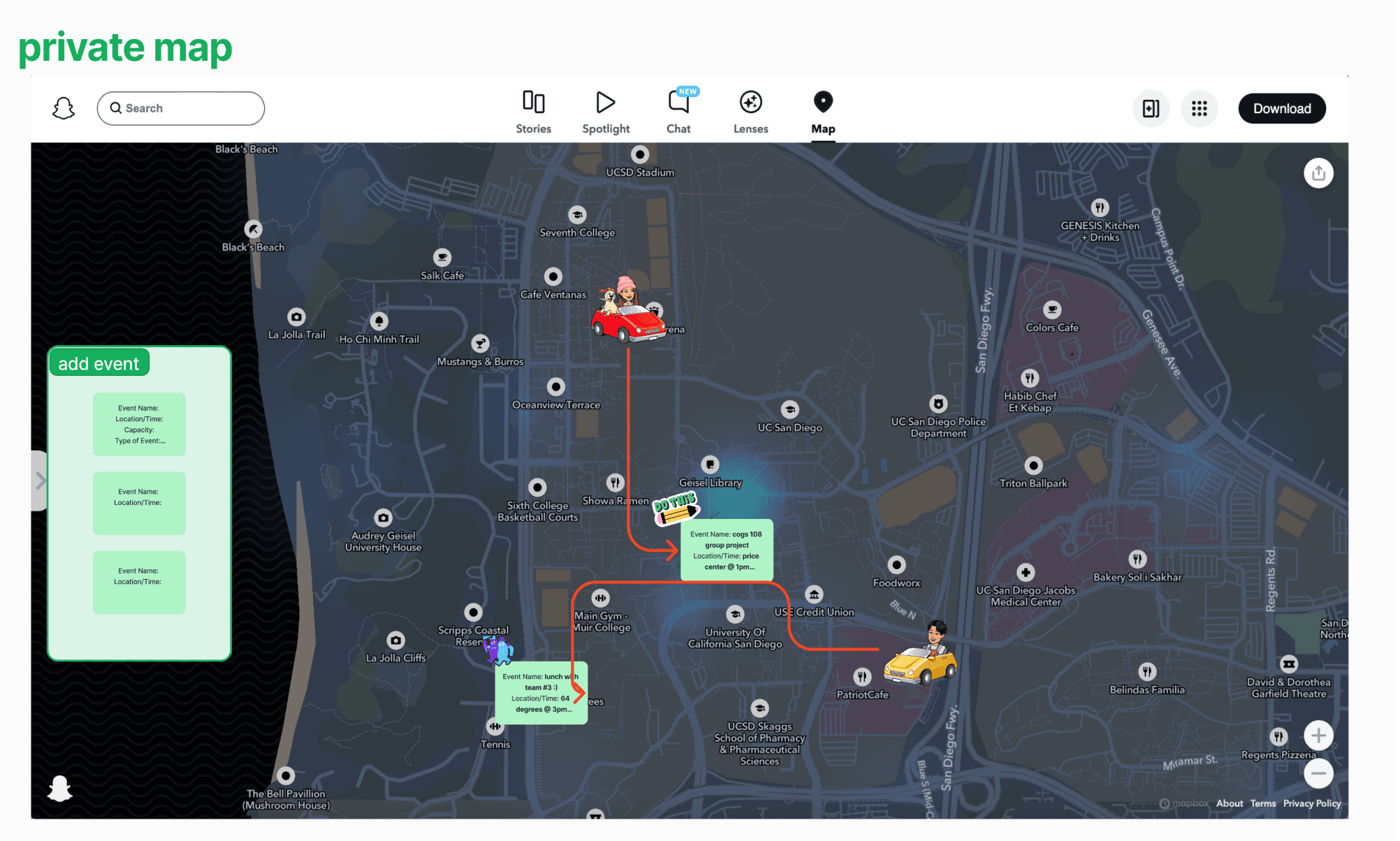
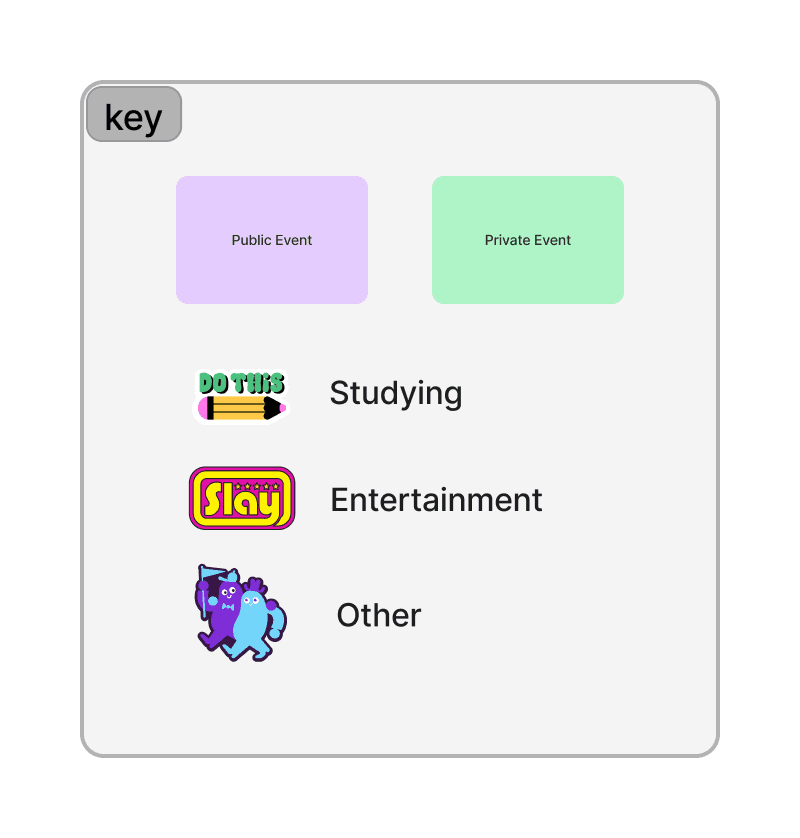
Private Map for events visible only to friends
Host Prototyping
Created their own event or choose from suggestions
Entered event details into the "Host Event Form"
Placed event card on designated map
Awaited attendees
Attendee Prototyping
Connected their avatar to desired event using FigJam's connector
Moved avatar to event location upon arrival
Host initiated event when attendees arrived, and everyone had fun!
Observational Insights
The instructions were too lengthy to recall and follow.
Participants were unclear about their roles.
Having multiple maps caused confusion.
Survey Insights
I established KPIs (key performance indicators) for our social computing app, encompassing usability, aesthetics, and adoption rate. While our potential target users responded positively to the usability and aesthetics, they expressed uncertainty regarding whether they would use BeSpurr in real-life scenarios.
4.00 out of 5
Usability
4.15 out of 5
Aesthetics
3.31 out of 5
Adoption Rate
Iteration #1
ATTENDEE
Complicated onboarding process
“I think overall it’s functional and clear, but took a few mins to understand”
“Make the instructions more digestible”
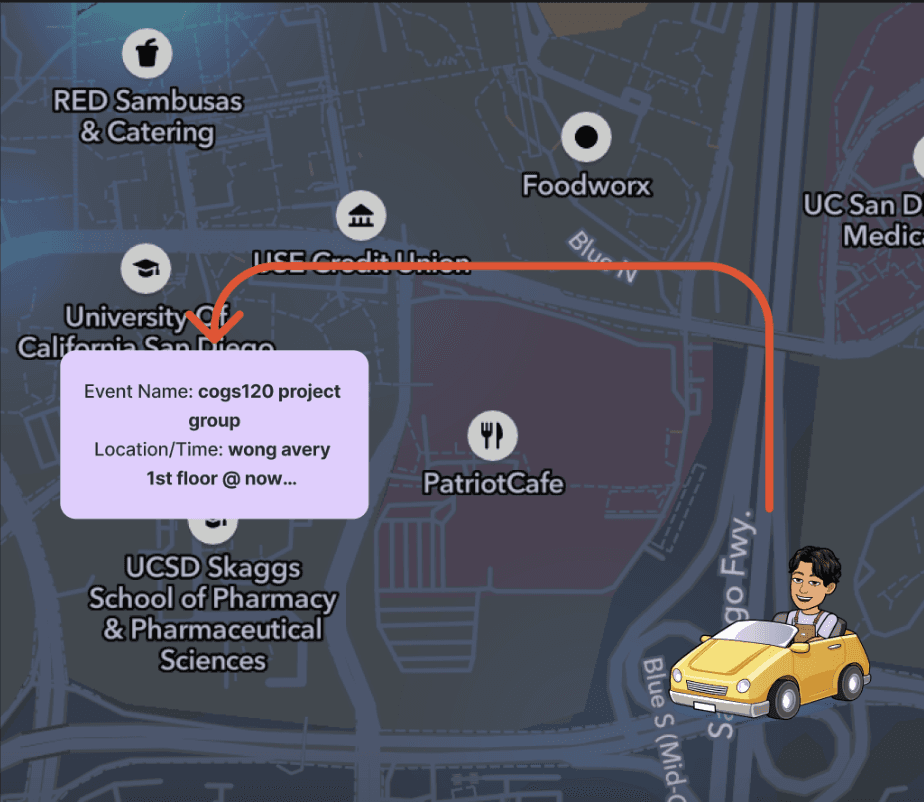
Username selection is time-consuming
Connecting avatars becomes challenging
Dragging avatars on the map proves cumbersome
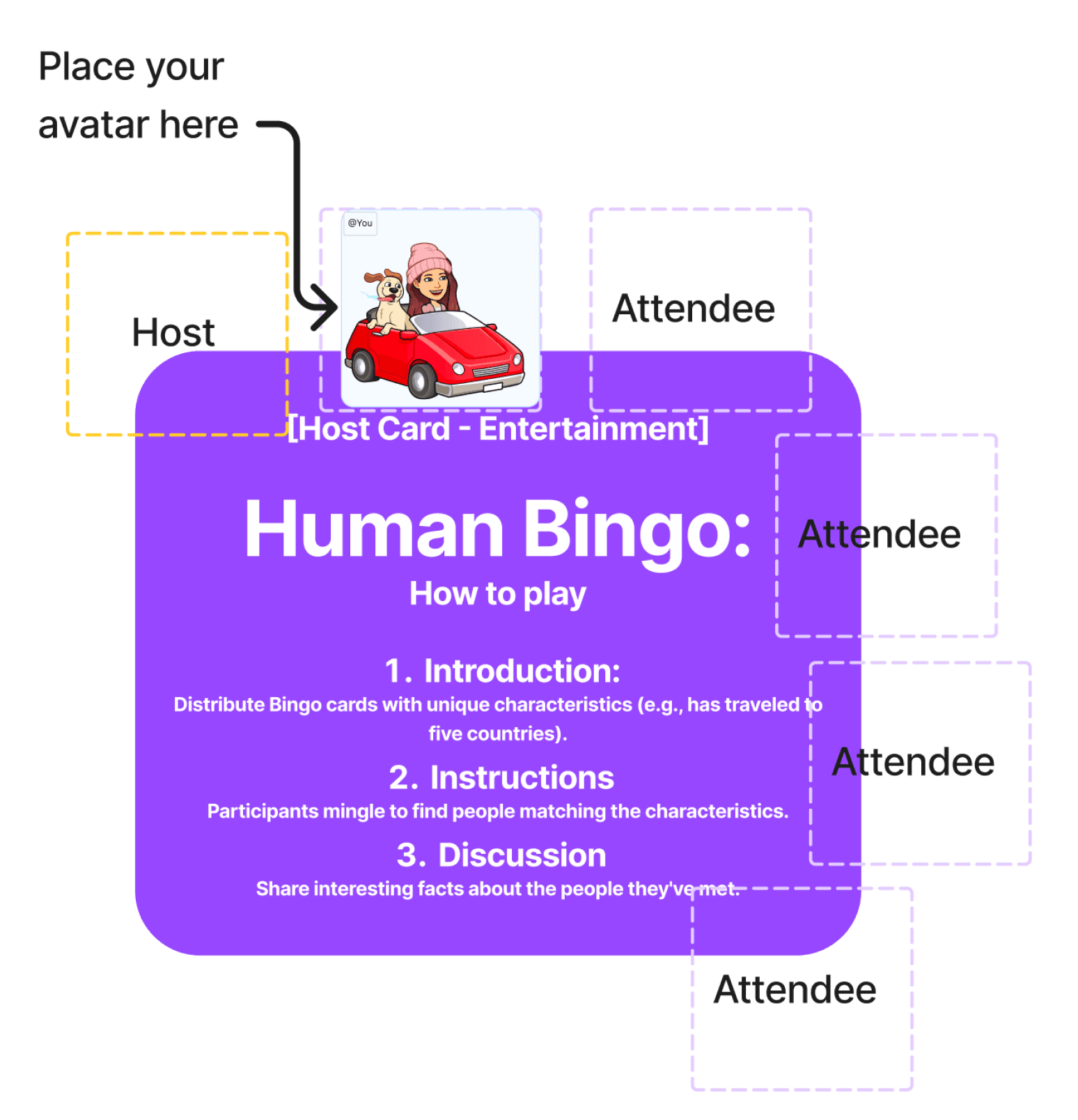
Assigning attendees to their groups in advance
Utilize parking spots
Iteration #2
ATTENDEE
Lack of follow-up or contact
“Maybe have a way for users to stay in contact after the meetup”
“I recommend adding more features to interact online, before or after the meet”
Missed Networking Opportunities
Limited Engagement
Decreased User Satisfaction
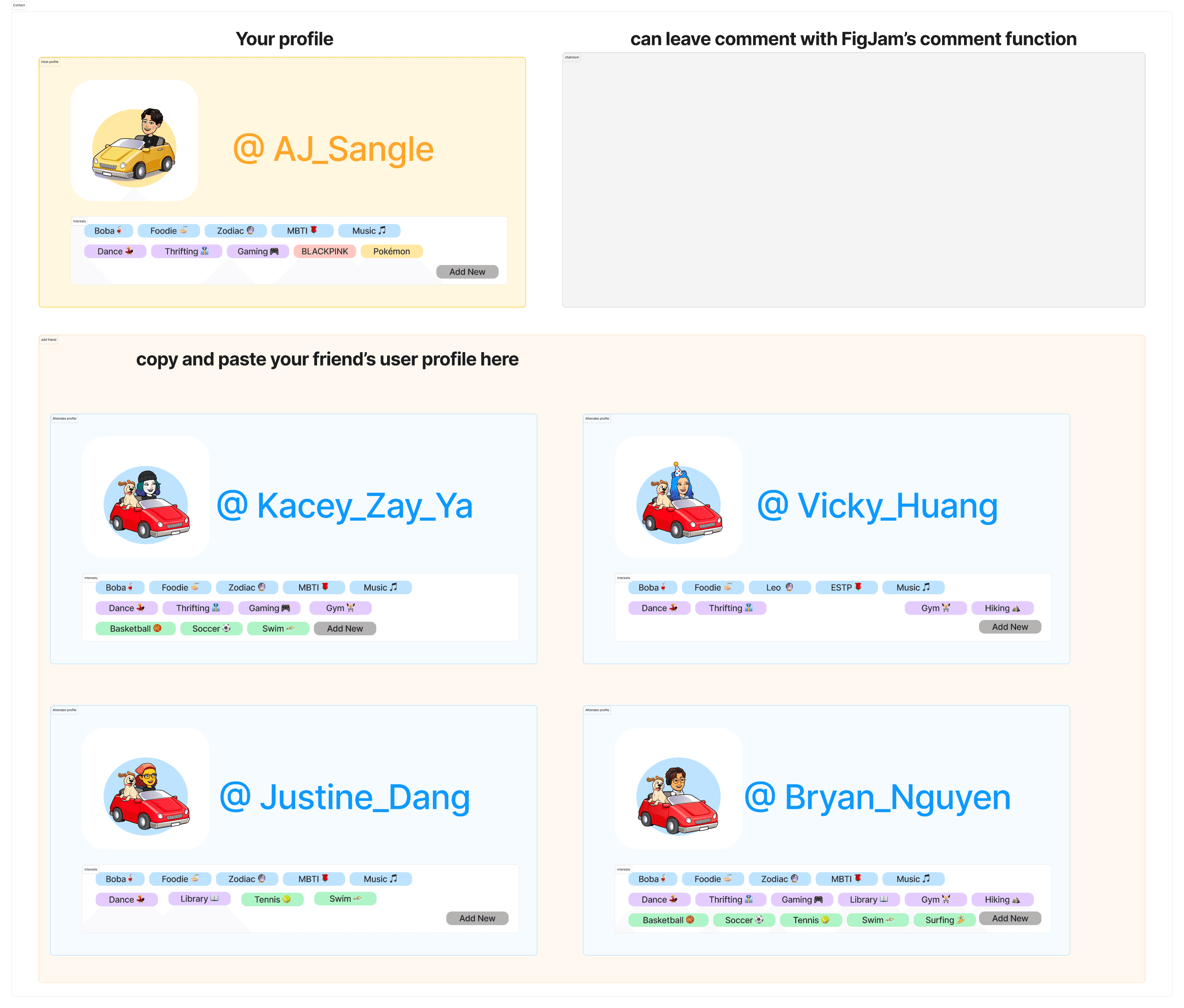
Personalized profiles with interest tags
Expanded networking with added contacts
Enhanced communication through event chatrooms
Iteration #3
HOST
Hosts were ‘forced’ into the role
“I didn’t really want to think about creating an event”
“Couldn't think of a event at the moment so the suggested ones are helpful!”
Volunteer
Decreased Event Diversity
Potential Host Disengagement
Limited User Empowerment
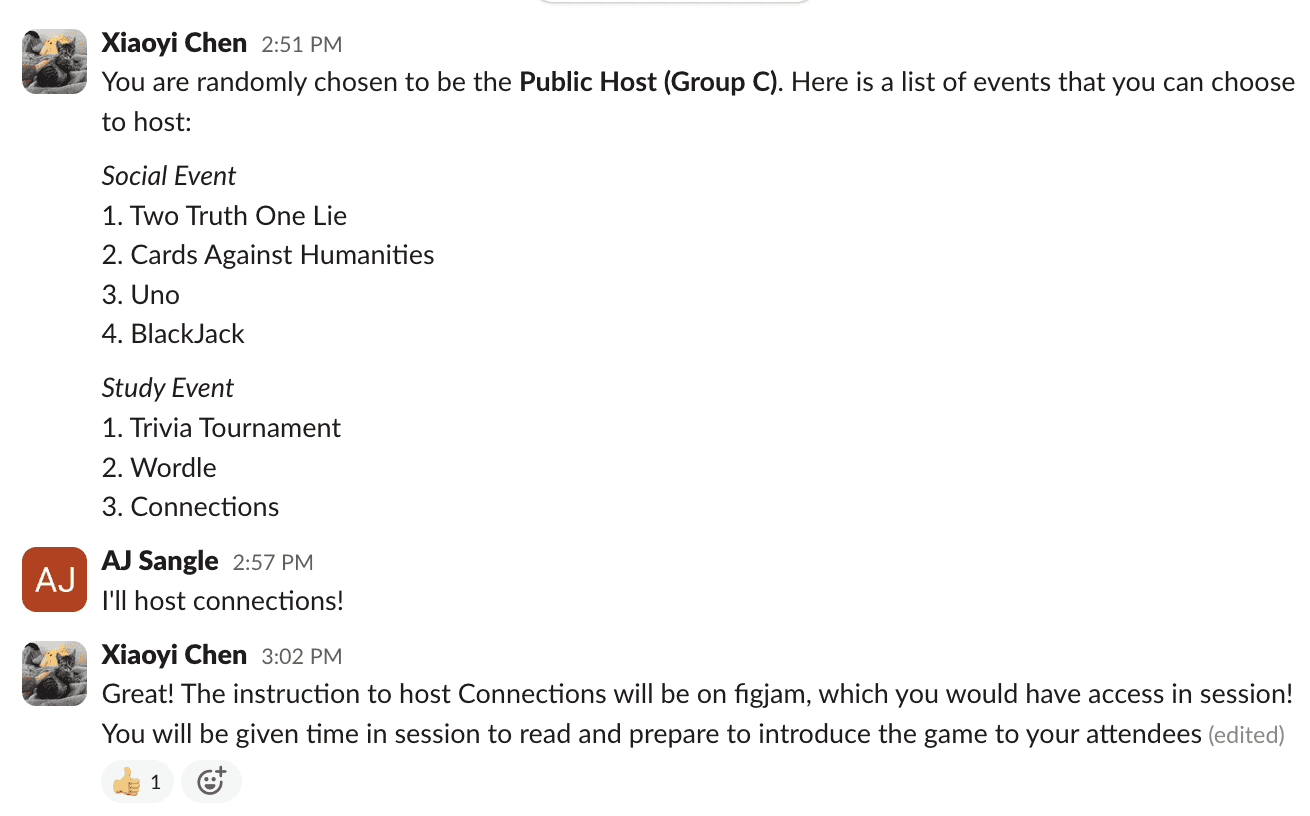
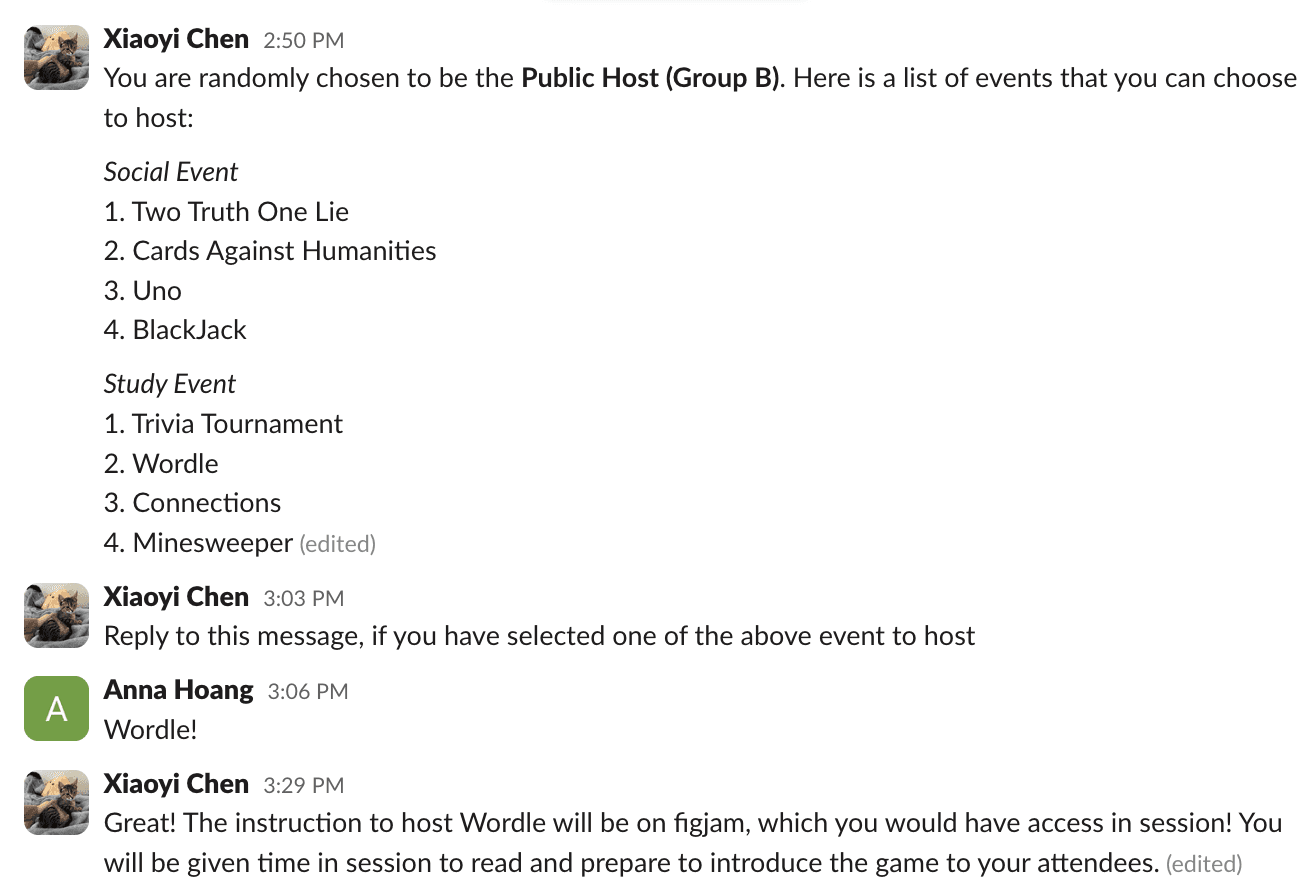
Diverse events from volunteer hosts
Active community participation fosters engagement
Spontaneous event hosting stimulated
Iteration #4
HOST
Publishing an event was time-consuming
“Map feature does seem a bit tedious especially when using it for the first time”
“It was really hard to drag my icon around because on FigJam”
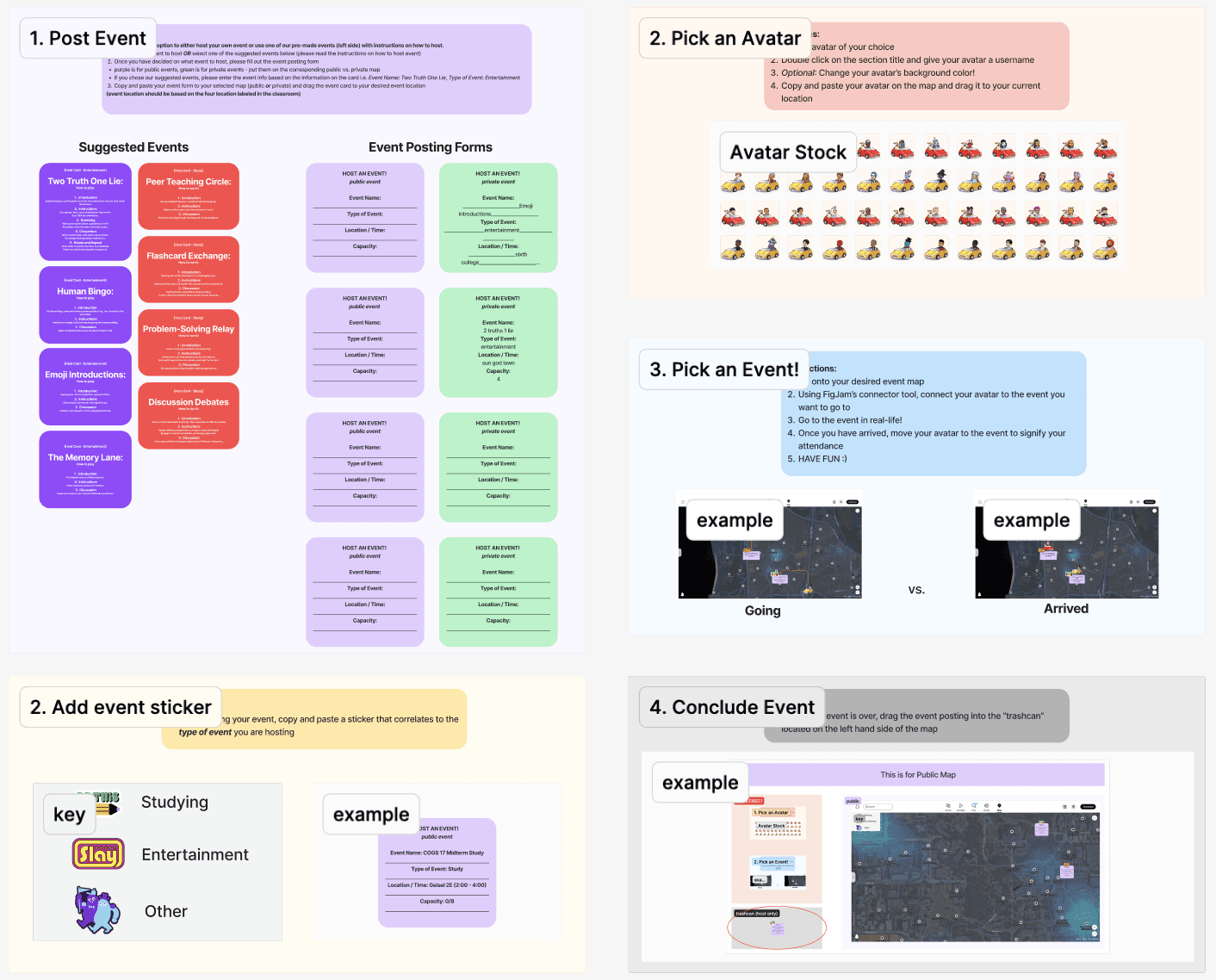
User frustration and difficulty with map feature
Technical limitations in dragging icons on FigJam
Time-consuming event publishing process
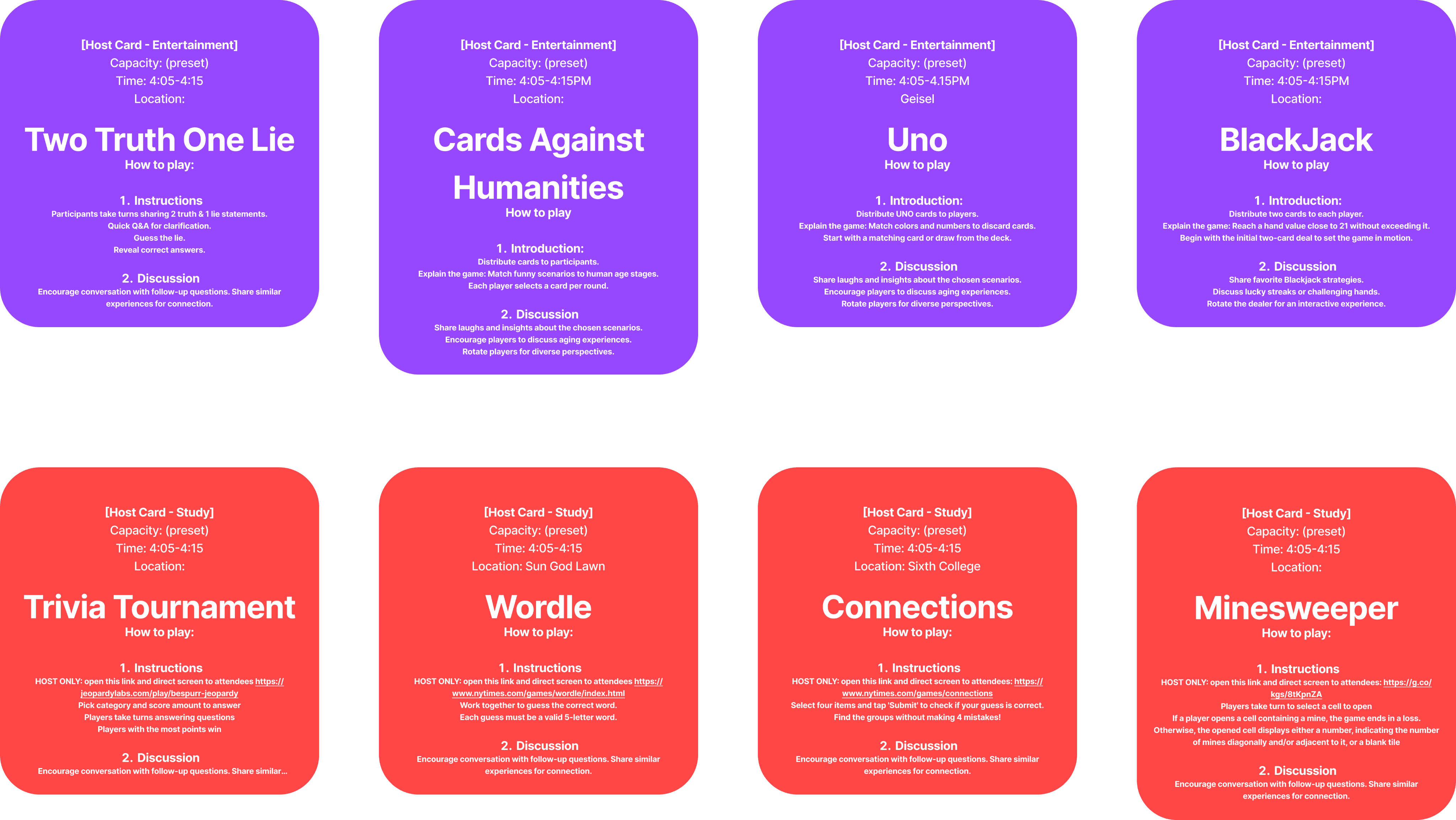
Streamlined event setup with pre-set cards
Improved user engagement with updated activity sets
Expanded options with added card and brain games
2nd User Testing
Two weeks later, I held our second prototyping session, incorporating user feedback revisions. My objective was to assess the impact of these changes on user experience, focusing on four metrics: usability, aesthetics, and adoption rate.
An issue from the first session was the confusion caused by multiple links. My initial modification combined three separate FigJam files into one, maintaining functionality for Public Map, Private Map, and Event Hosting.
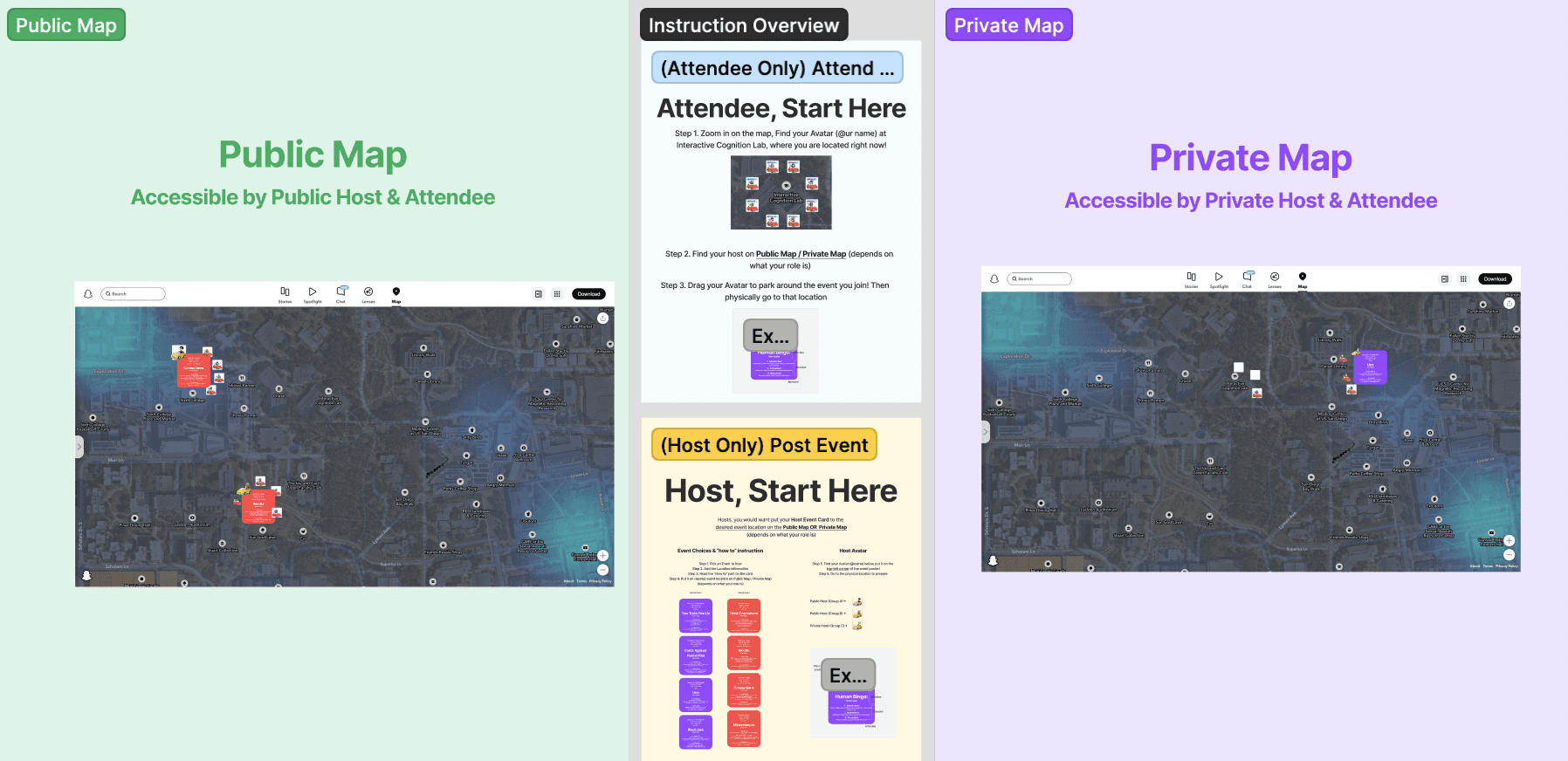
Single figma file for both maps
Host Prototyping
Chose pre-set events and place them at desired locations
Moved their avatar to parking spots on the left side of the event card to indicate hosting
Attendee Prototyping
Located pre-assigned avatars, customized profiles, and chatted with other users
Placed avatars at designated parking lots to join events
Host initiated the event when attendees arrived, and everyone had fun!
Observational Insights
Less assistance was requested with the instructions.
Each individual was clear about their assigned role and map.
Certain activities, such as Wordle, posed challenges for strangers to navigate.
Key Insights
Design iterations improved all KPIs. Users found the experience smoother and events fun. BeSpurr's aesthetics blended well with Snapchat's branding.
4.53 out of 5
(+0.53)
Usability
4.67 out of 5
(+0.52)
Aesthetics
3.6 out of 5
(+0.29)
Adoption Rate
Design Sytems
Style Guide
Logo
Crafted a new logo for BeSpurr, incorporating elements of Snapchat's logo with BeSpurr's unique charm
The name "BeSpurr" reflects the platform's focus on spontaneity and authenticity, inspired by the concept of "Be Real"

BeSpurr.
BeSpurr.
Typography
Utilized Snapchat's existing typography for consistency within Snapchat app
Selected typography aligns with BeSpurr's aesthetic and readability standards
Adhered to iOS guidelines for a seamless user experience
Heading 1 - Avenir Next
Heading 2 - Avenir Next
Heading 3 - Avenir Next
Default - Avenir Regular
Default - Avenir Regular
Body - Avenir Next
Bold
LIne height
Weight
category
Size
Heading
Body
Caption
Default - Avenir Bold
Caption - Avenir Next
Default - Avenir Bold
Default - Avenir Bold
34
150%
28
150%
20
150%
16
150%
150%
11
14
150%
Caption - Avenir Next
Default - Avenir Regular
Color Palette
Colors are selected to evoke energy, friendliness, and vibrancy
BeSpurr's color palette aligns with Snapchat's for consistency
Ensured colors pass the color contrast test for accessibility
Background
Primary
Secondary
Grid
Implemented a grid system for mobile app frames to maintain consistency between different pages
Adhered to iOS guidelines for design coherence
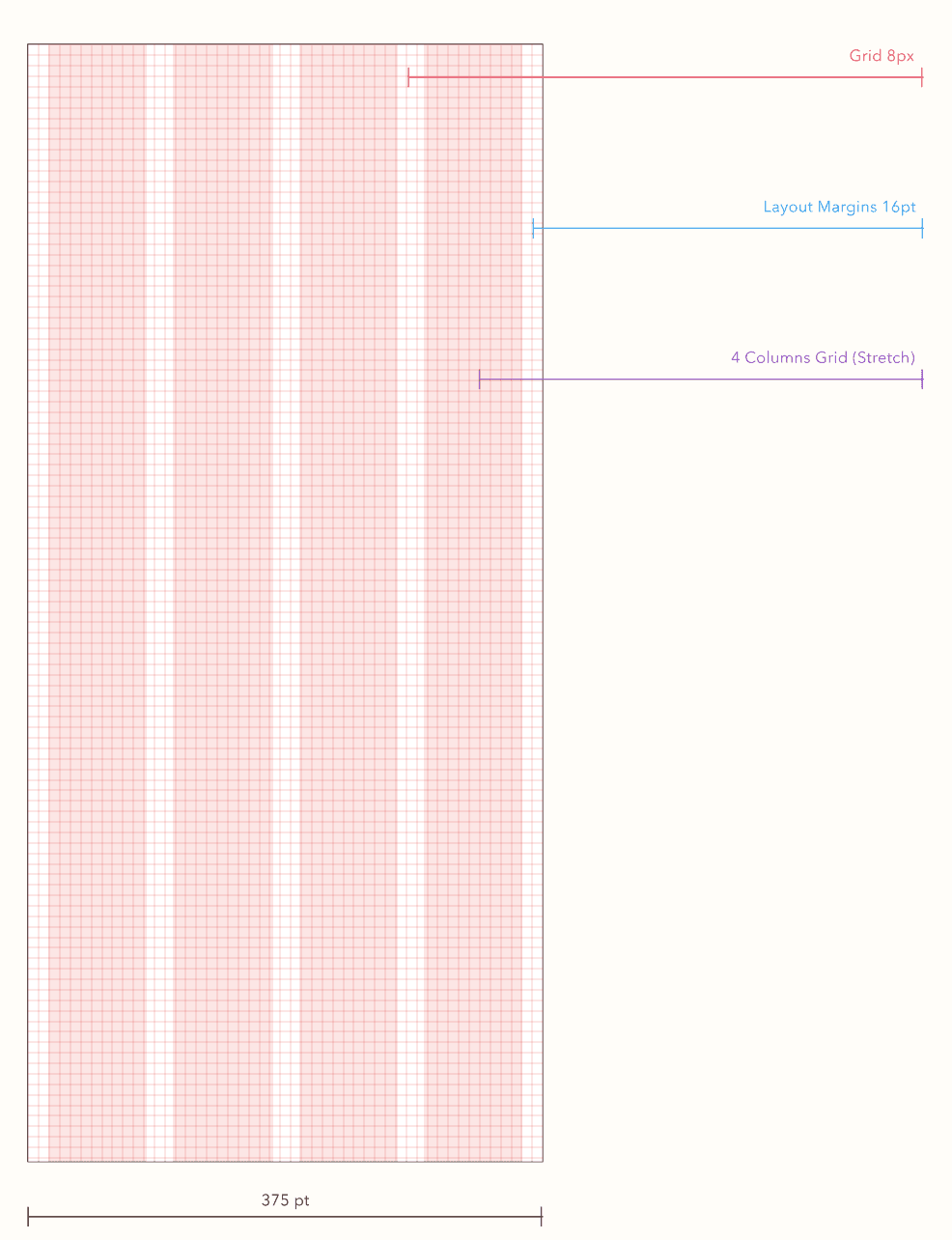
Figma Iterations
Sketching wireframes
I started by drafting paper wireframes to map out the flow of features for BeSpurr, aiding in visualizing the connections between frames. This includes the process of adding friends from the public map.
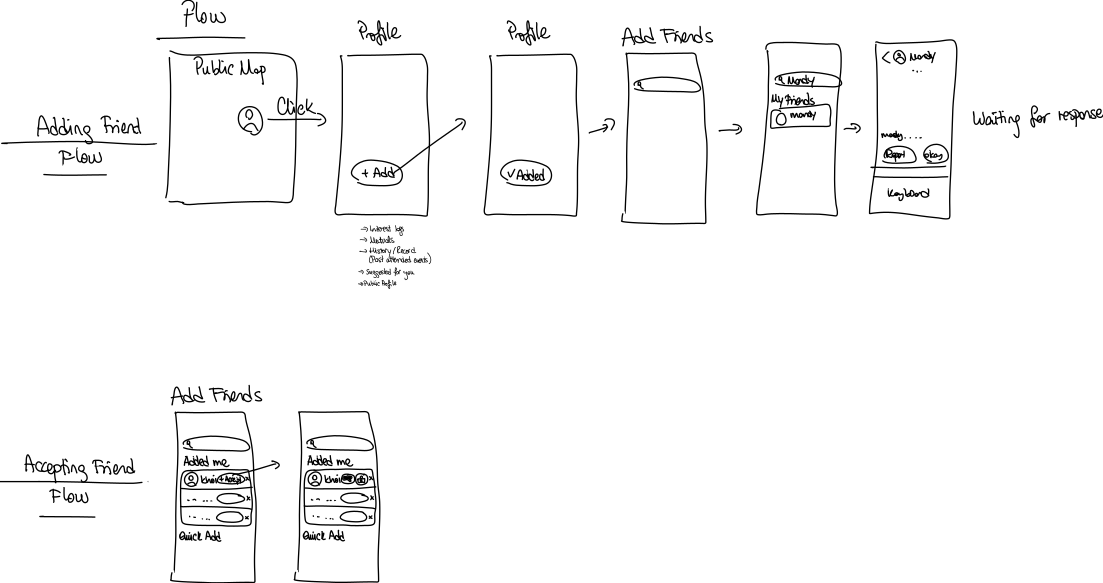
Sketches on “Adding Friend” and “Accepting Friend” Flow
Drafting mid-fi mockups
I designed Figma prototypes for BeSpurr's key features based on user satisfaction from prototyping sessions. As BeSpurr is a Snapchat extension, I leveraged Snap Map's interface instead of creating a new design system. These mid-fidelity prototypes served as the foundation for my final deliverables.
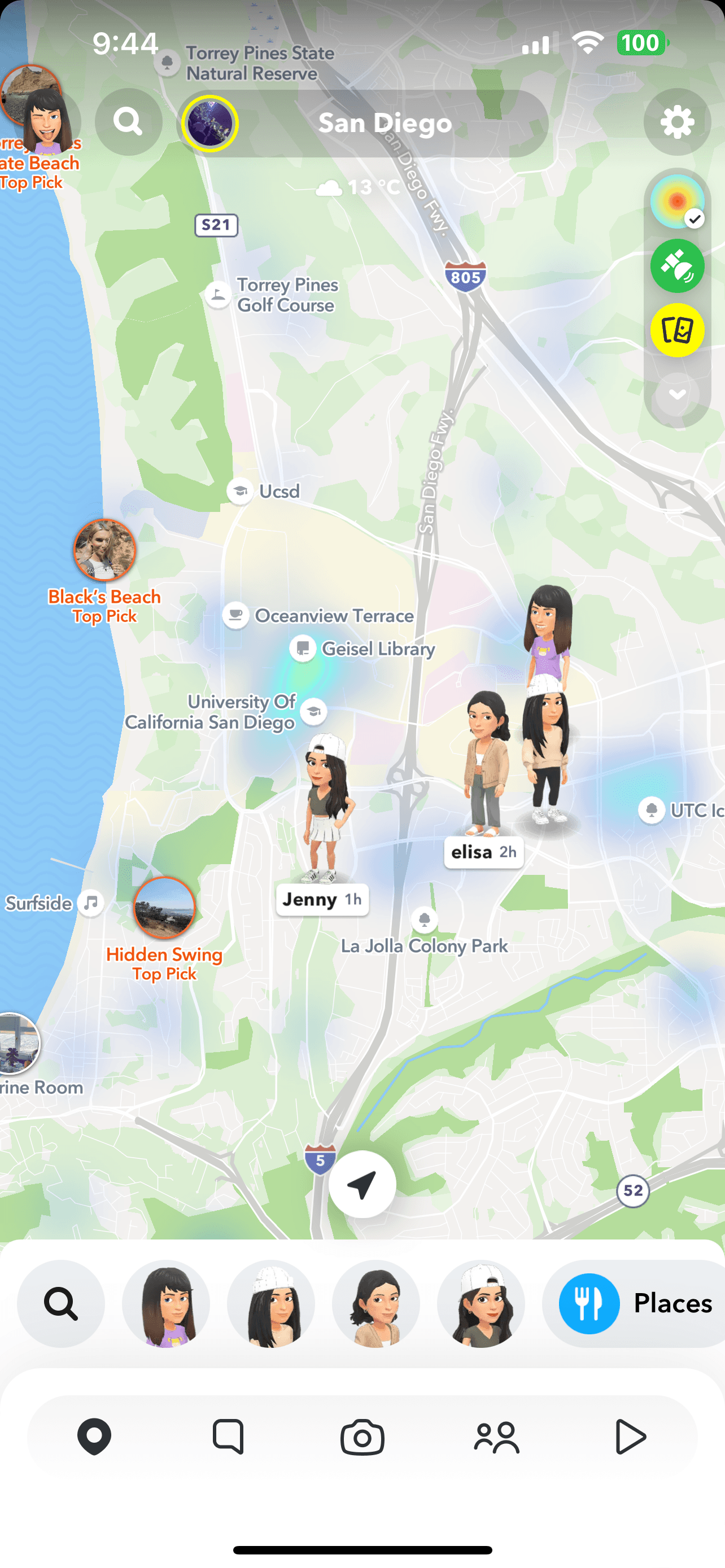
Study
Hangout
Club
BeSpurr event map base on SnapMap
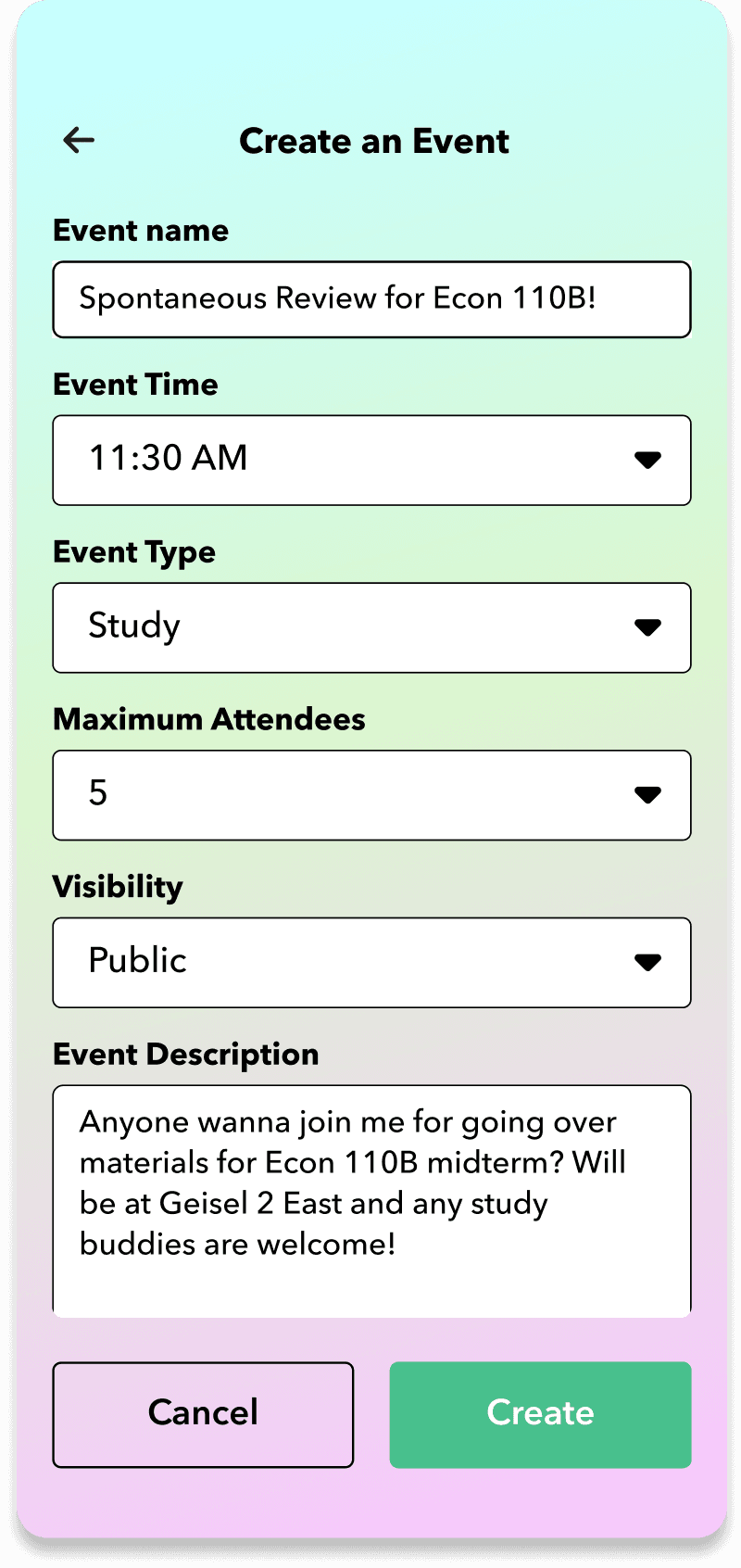
Event creation form
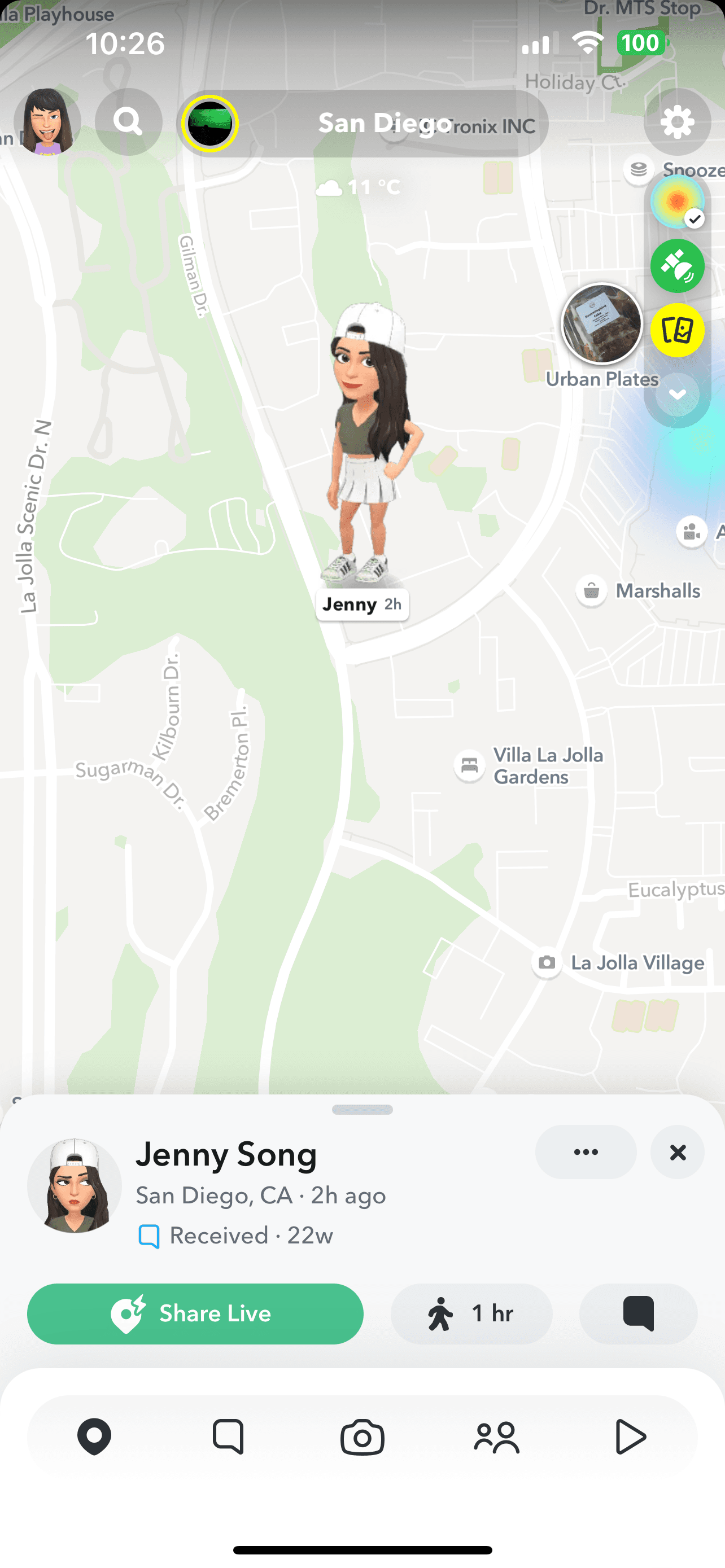
Jenny Song
Spontaneous Review for Econ 110B!
11:30 AM
Maximum: 5 people
Public
Anyone wanna join me for going over materials for ...
Close
Join
Map to view and/or join events
Final Deliverables
Explore Nearby Events in Real Time
Explore local events in your area on the Public and Private maps
Switch between the Private map for friends and the Public map for everyone
Filter events by study or social event types

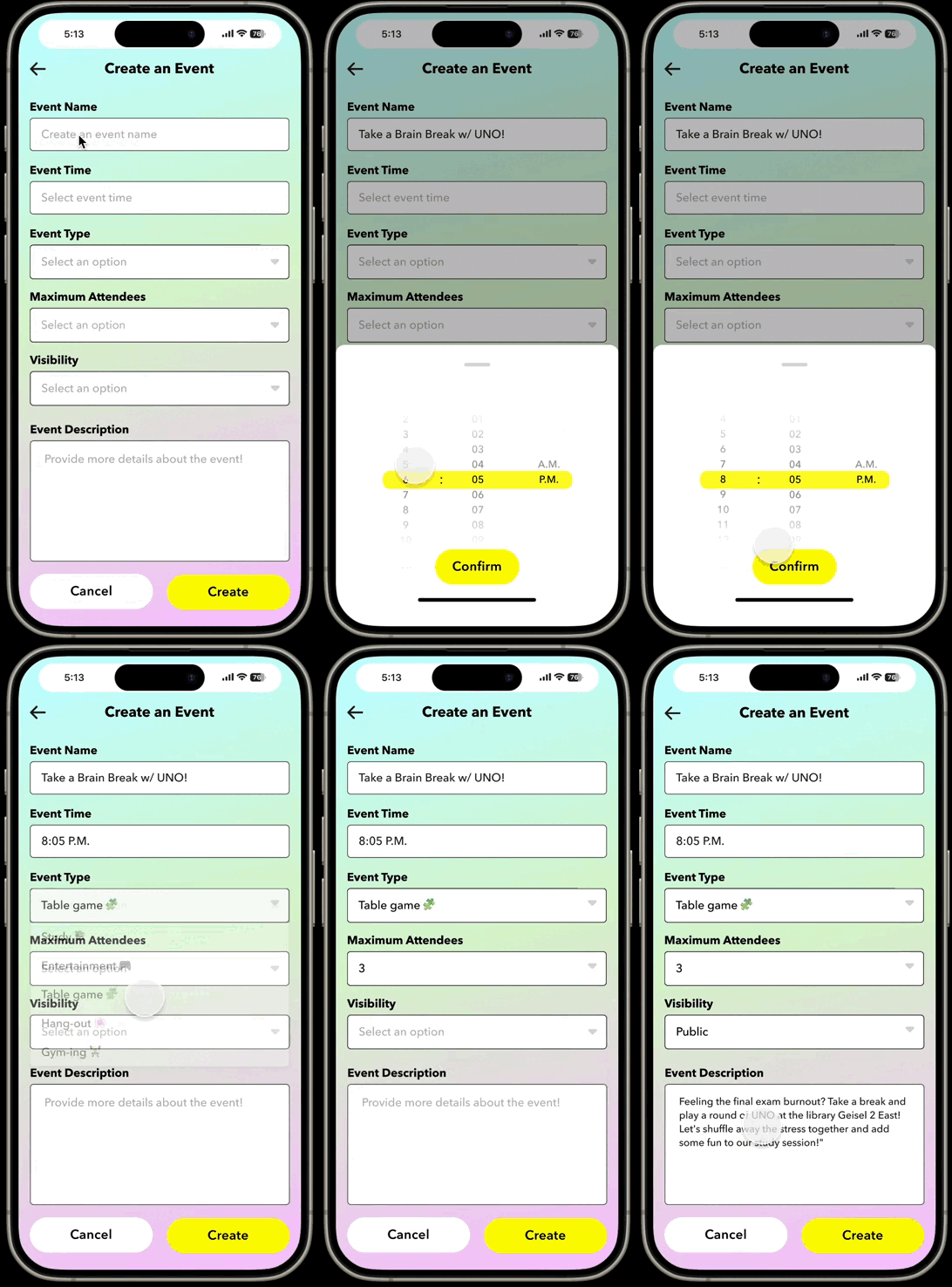
Create Your Own Events
Create a catchy event name at your convenience
Host the event privately with friends or open it to the public
Specify the event location for everyone to join in on the fun
Join study sessions, hangouts, clubs and more
Access event details by clicking on avatars
Communicate with hosts about their events
Join or save events of interest
Explore recommended similar events by BeSpurr


Add friends and get chatting
Effortlessly connect with new people
Uncover shared connections
Initiate exciting conversations with our dynamic chat platform
Post to Event Story
Capture the moment and seamlessly share it with all BeSpurr attendees on event stories
Every snap contributes to the collective memories made together

Reflection
Would BeSpurr work in a real social setting?
In our concluding user study, BeSpurr effectively facilitated event publication by hosts and event discovery by attendees, achieving a high usability rate. BeSpurr has the potential to work effectively in a real social setting. Through its features facilitating spontaneous event discovery and interaction, it can enhance social experiences by connecting users with relevant events and like-minded individuals. However, further testing and refinement may be necessary to optimize its functionality and user experience for real-world use.
Potential Limitations
Competitive disadvantage → Inability to track friends' locations on the map
User acquisition challenge → Initial user shyness when meeting strangers
Next Steps
Conduct user testing with final Figma hi-fi designs
Iterate on the design to address identified limitations, such as implementing features for tracking friends' locations and strategies to mitigate user shyness.
Further research to gather feedback from a broader and diverse user base
Key Takeaways
Power of piggyback prototyping
It was my first time doing a piggy back prototyping. By tapping into existing platforms like Snapchat, I realized that I can fast-track development, save on costs, and tap into the existing user base to create a more seamless experience. However, I recognize that implementing this approach in real-world scenarios can be challenging due to the necessity of platform collaboration. Nonetheless, with the right partnerships and collaboration, the benefits of piggyback prototyping can be fully realized.
Navigating rapid prototyping under tight timelines
While I had an ambitious timeline of 8 weeks for this project, my emphasis shifted towards the Wizard of Oz prototyping, as requested. Consequently, I couldn't dedicate as much attention to refining the Figma final hi-fis. This experience taught me the importance of balancing research efforts with rapid prototyping to ensure comprehensive development within constrained timelines.
I was fortunate to have wonderful team members throughout the entire design project, and I deeply appreciate their collaboration and support. ︎♡
Thanks for stopping by!
Let's build something meaningful together
Whether you're looking for a Product Designer, discussing a new opportunity, or simply want to connect, I'd love to hear from you.
designed by aska
2026